Protect your personal information

Download Norton 360 for Mobile to help detect malware used to listen in or record your conversations.

Protect your personal information

Install Norton 360 for Mobile to help keep your personal information private.

Protect your personal information

Install Norton 360 for Mobile to help keep your personal information private.

Who's this for?

Answer 3 quick questions to get matched with the best protection. Firstly, choose who or what you need to cover below.

What are you most concerned about?

We'll suggest the best coverage for your concerns. Select all that apply.

How many devices do you need to protect?

For the best protection, cover every device you use online.

Creating your recommendation

norton:productquiz:iconturninggears
Did you know?
Norton technology blocks millions of cyberthreats every day.
Trusted by millions of customers around the globe.
Norton™ Mobile Security
Standard
A$32.99
A$32.99first yr

Automatically renews at {ar}/year,
unless the renewal is cancelled.
Price is subject to change.
See subscription details below.*

  • Protection for 1 iPhone® or iPad®
  • Scam Protection
  • Wi-Fi Security
  • Internet Security
  • Device Security
Norton AntiVirus
Plus
A$75.99
A$75.99first yr

Savings compared to the renewal price of {ar}/year.
See subscription details below.*

  • 1 PC or Mac
  • Scam Protection
  • Antivirus, malware, ransomware, and hacking protection
  • 100% Virus Protection Promise2
  • 2 GB Cloud Backup‡‡,4
  • Password Manager
  • Deepfake Protection23,33
Norton 360
Standard
A$104.99
A$104.99first yr

Savings compared to the renewal price of {ar}/year.
Price is subject to change.
See subscription details below.*

  • 1 PC, Mac, tablet, or phone
  • Scam Protection
  • Antivirus, malware, ransomware, and hacking protection
  • 100% Virus Protection Promise2
  • 10 GB Cloud Backup‡‡,4
  • Password Manager
  • Deepfake Protection23,33
  • VPN private internet connection
Norton Identity Advisor
Plus
A$119.99
A$119.99/first yr

Payment method required.
If not cancelled: {sale}/first year.
Then {ar}/year.
See subscription details below.*

  • Identity Restoration Support
  • Financial Monitoring​
  • Social Media Monitoring17
  • Dark Web Monitoring​§
  • Stolen Wallet assist
  • Identity Theft Insurance
Norton 360
Deluxe
A$149.99
A$149.99first yr

Savings compared to the renewal price of {ar}/year.
Price is subject to change.
See subscription details below.*

  • 3 PCs, Macs, tablets, or phones
  • Scam Protection
  • Antivirus, malware, ransomware, and hacking protection
  • 100% Virus Protection Promise2
  • 50 GB Cloud Backup‡‡,4
  • Password Manager
  • Deepfake Protection23,33
  • VPN private internet connection
  • Dark Web Monitoring§
  • Parental Control
Norton VPN Standard
VPN
A$129.99
A$129.99first yr

Savings compared to the renewal price of {ar}/year.
See subscription details below.*

  • IP masking to hide your online activities
  • Access your favorite content across borders
  • Ad Blocker to browse without annoying ads14
  • No-log policy to ensure your privacy
  • Kill Switch to help prevent privacy exposure
  • IP Rotation and Double VPN for extra privacy
  • AI-powered protection against scams, phishing, and malware.
  • Monitoring for your info on the dark web§
  • Password Manager to use strong passwords
  • 10GB of Cloud Backup4 for valuable files
A$349.99
A$349.99first yr

Savings compared to the renewal price of {ar}/year.
See subscription details below.*

  • 10 PCs, Macs, tablets, or phones
  • Get always-on cyber protection for your business devices.
  • Get 24/7 business tech support and expert help with virusesΔ.
  • Work and bank safer online with our secure browser22.
  • Store your passwords and usernames in our encrypted vault.
  • Close security holes with our automatic Software Updater21.
  • Enjoy more reliable PCs with our cleaner and optimizer21.
  • Monitor employee identity leaks on the dark web (5 contacts)§
  • Backup up to 500GB of your data in our secure cloud21.
  • Connect to the web more safely on-the-go with our VPN.
  • Enjoy safer and more reliable PCs with Driver Updater21.
Norton 360
Premium
A$194.99
A$194.99first yr

Savings compared to the renewal price of {ar}/year.
Price is subject to change.
See subscription details below.*

  • 5 PCs, Macs, tablets, or phones
  • Scam Protection
  • Antivirus, malware, ransomware, and hacking protection
  • 100% Virus Protection Promise2
  • 100 GB Cloud Backup‡‡,4
  • Password Manager
  • Deepfake Protection23,33
  • VPN private internet connection
  • Dark Web Monitoring§
  • Parental Control
Norton
Small Business
A$249.99
A$249.99first yr

Savings compared to the renewal price of {ar}/year.
See subscription details below.*

  • Get always-on cyber protection for your business devices.
  • Get 24/7 business tech support and expert help with virusesΔ.
  • Work and bank safer online with our secure browser22.
  • Store your passwords and usernames in our encrypted vault.
  • Close security holes with our automatic Software Updater21.
  • Enjoy more reliable PCs with our cleaner and optimizer21.
  • Monitor employee identity leaks on the dark web (5 contacts)§
  • Backup up to 250GB of your data in our secure cloud21.
Norton
Small Business
A$99.99/year

Price shown is for first year.
Plus applicable sales tax.
See subscription details below.* 

  • 5 PCs, Macs, tablets, or phones
  • Get always-on cyber protection for your business devices.
  • Get 24/7 business tech support and expert help with virusesΔ.
  • Work and bank safer online with our secure browser22.
  • Store your passwords and usernames in our encrypted vault.
  • Close security holes with our automatic Software Updater21.
  • Enjoy more reliable PCs with our cleaner and optimizer21.
  • Monitor employee identity leaks on the dark web (5 contacts)§
  • Backup up to 250GB of your data in our secure cloud21.


Your personalized matches

norton:productquiz:iconshieldnumber60
60-day money-back guarantee
  • Best choice

  • Better choice

  • Good choice

*Important subscription, pricing, and offer details:

  • By subscribing, you are purchasing a recurring subscription which will automatically renew.
  • The price quoted today is valid for the offered introductory term. After that, your subscription will be billed at the applicable monthly or annual renewal price here. The price is subject to change, but we will always send you a notification email in advance.

2 Requires an automatically renewing subscription for a product containing antivirus features. For further terms and conditions, please see norton.com/virus-protection-promise.
4 Only available on Windows systems (but not in S mode or on ARM processors).
21 Utilities Ultimate, Driver Updater, Software Updater, and Cloud Backup features are only available on Windows (excluding Windows in S mode and Windows running on ARM processor).
22 Private Browser is only available on Windows (excluding Windows in S mode and Windows running on ARM processor) and Mac.
Monitoring available on Windows™ PC, iOS, and Android™ devices. Not all features available on all platforms.
§ Monitoring not available in all countries and varies based on region.

norton:productquiz:iconquestionmarkspeechbubble

norton:productquiz:iconquestionmarkspeechbubble

norton:productquiz:iconquestionmarkspeechbubble

Does your phone listen to you? Yes, here’s why and how to stop it

If you have a smartphone, it's most likely listening to you. Virtual assistants like Siri and Google Assistant work by waiting for a wake word and then answering your question, which means they’re active in the background. In this article, we’ll explore why your phone listens to you, how to limit the data it collects, and how a mobile security app can encrypt your connection and help protect you from eavesdroppers.

A woman reviews her phone settings to turn off the microphone.

In recent years, almost 28% of Australians have used smart speakers with an incorporated voice assistant like Alexa,  Google Assistant, or Siri. But voice tech and other virtual tools aren’t the only ones listening to you. There’s also an abundance of apps that can access your phone’s microphone for functionality and personalisation.

So, the question is less a matter of if your phone is listening to you — because, yes, in a technical sense most phones are — but rather how and why it’s listening, and what it’s doing with the information it collects.

Why is my phone listening to me?

Most phones listen to you to enable voice assistant apps like Siri and Google Assistant that are constantly alert for verbal cues like ‘Hey Siri’ or ‘OK Google’. Based on your query, they can help you set reminders, make phone calls, play music, and more.

Alternatively, social media apps like Snapchat and GPS tools like Google Maps might access your microphone to enable full functionality in a variety of scenarios.
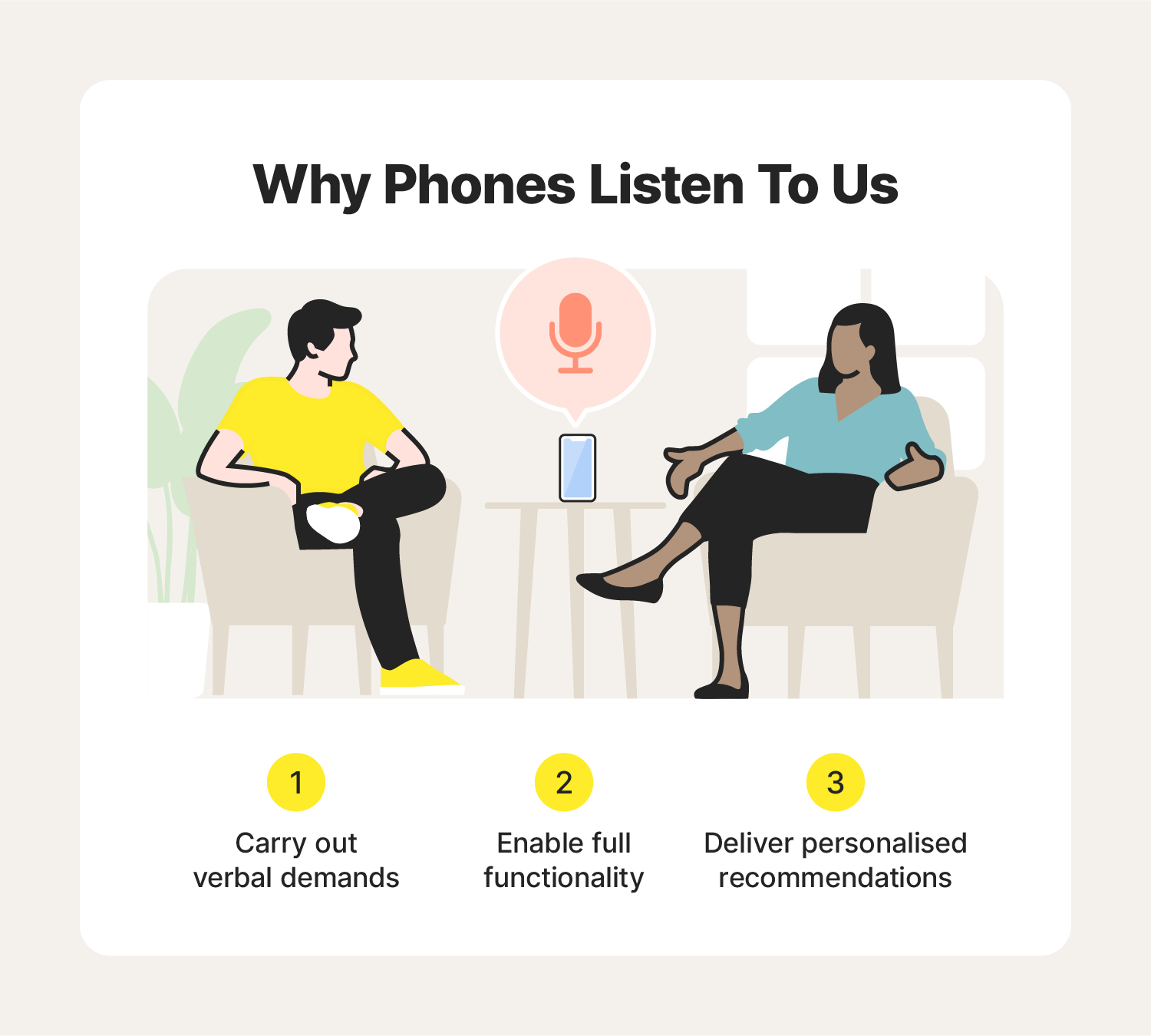
An image explaining three reasons why your phone might be listening to you.

Generally, your phone ‘listening’ is more useful than a cause for concern. However, it ultimately depends on what sites and applications are accessing your microphone, why, and whether or not they’re sharing your personal data.

Voice assistant technology

Voice assistants are a type of technology that can be activated with voice commands. They’re always passively listening in the background (unless disabled) and come to life when they hear their wake word.

This passive listening ensures the virtual assistants are ready to help you with a task when needed. However, depending on the developer, voice tech apps may also use your conversation data to recommend ads and content. For instance, Google uses Assistant conversation data to personalise ad and content recommendations. Others, like Apple’s Siri, claim not to use conversation data to build marketing profiles or curate ads.

Third-party apps

Third-party apps can request microphone access when you install them. If that access is granted, they can record audio for features like video recording and voice messaging. Concerns arise when less trustworthy apps misuse permissions to record more data than intended, potentially for targeted advertising, or even eavesdrop on sensitive conversations.

How to stop my phone from listening to me

Just as you might cover your webcam to avoid secret monitoring, you can also cover your microphone with a piece of tape or purchase a special phone case to stop your phone from listening to you — just remember to remove it before recording or making a call to avoid muffled audio. However, a more surefire approach is to disable virtual assistants and review the microphone permissions granted across your applications.
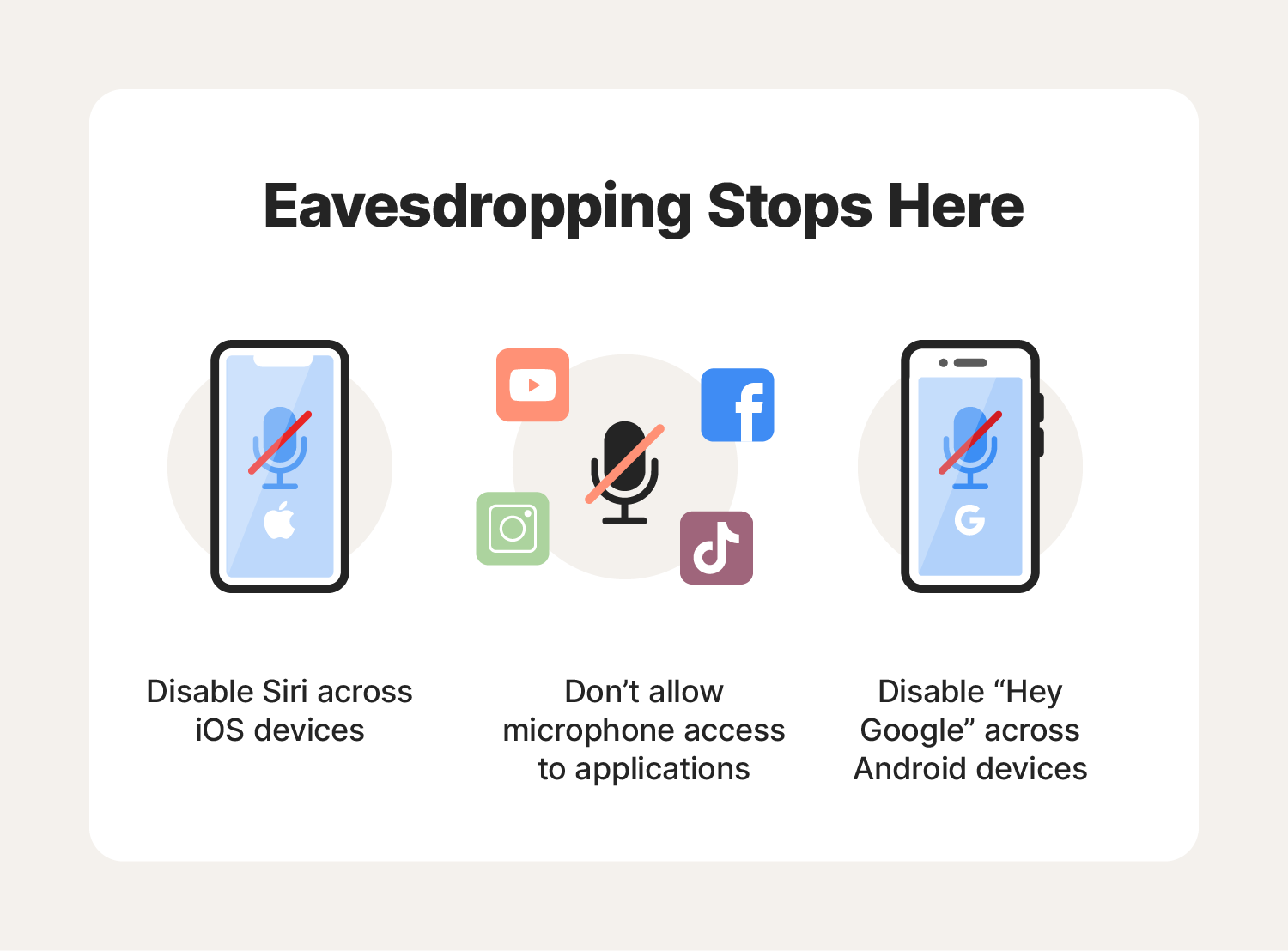
An image containing ways to help stop your phone from listening to you.

How to stop Siri from listening to you

If you’re worried about how often Siri is listening to and recording you without your consent, turn off Apple’s virtual helper by following these steps:

  1. Navigate to Settings > Siri & Search.
  2. Toggle off Listen for ‘Hey Siri’ and press the Side button for Siri.
  3. Tap Turn Off Siri when a pop-up window appears.

How to stop Google Assistant from listening to you

Google Assistant is always on and listening for the words ‘Hey Google’ or ‘OK Google’. Once activated, it can record your conversation and store the data in My Google Activity.

Here’s how to disable Google voice commands on your phone:

  • iPhone: Navigate to Settings > type Microphone in the search bar > and toggle off Assistant.
  • Android: Navigate to Settings > select Google > tap All Services > tap Settings for Google apps > tap Search, Assistant & Voice > tap Google Assistant > tap Hey Google & Voice Match > toggle off ‘Hey Google’.

How to disable app microphone access

In addition to turning off virtual assistant apps like Siri and Google’s voice assistant, you might want to stop other apps, like social media apps, from accessing your microphone, too.

Here’s how to stop third-party apps from accessing your phone’s microphone:

  • iPhone: To disable microphone access on iOS devices, navigate to Settings > [select the app] > then toggle off Microphone.
  • Android: To disable microphone access on Android devices, navigate to Settings > [select the app] > Permissions > Microphone > Select Don’t allow.

Note that specific steps may vary slightly depending on the Android model.

It is legal for phones to listen to you if you accept the terms and conditions and give apps, systems, and software consent to access your microphone. But it’s not legal for spyware or other forms of phone takeover to listen or spy on you without your consent. And sometimes even trusted apps may access or misuse more data than you consented to.

Cyber Safety tip: Take the time to read the terms and conditions before clicking ‘accept’, and limit application permissions whenever possible to help minimise technological surveillance.

5 tips to help keep your conversations private

Some might consider it a breach of privacy if phones listen to them, while others might find it convenient. No matter your stance, consider the following smartphone privacy protection tips to help keep your conversations private.
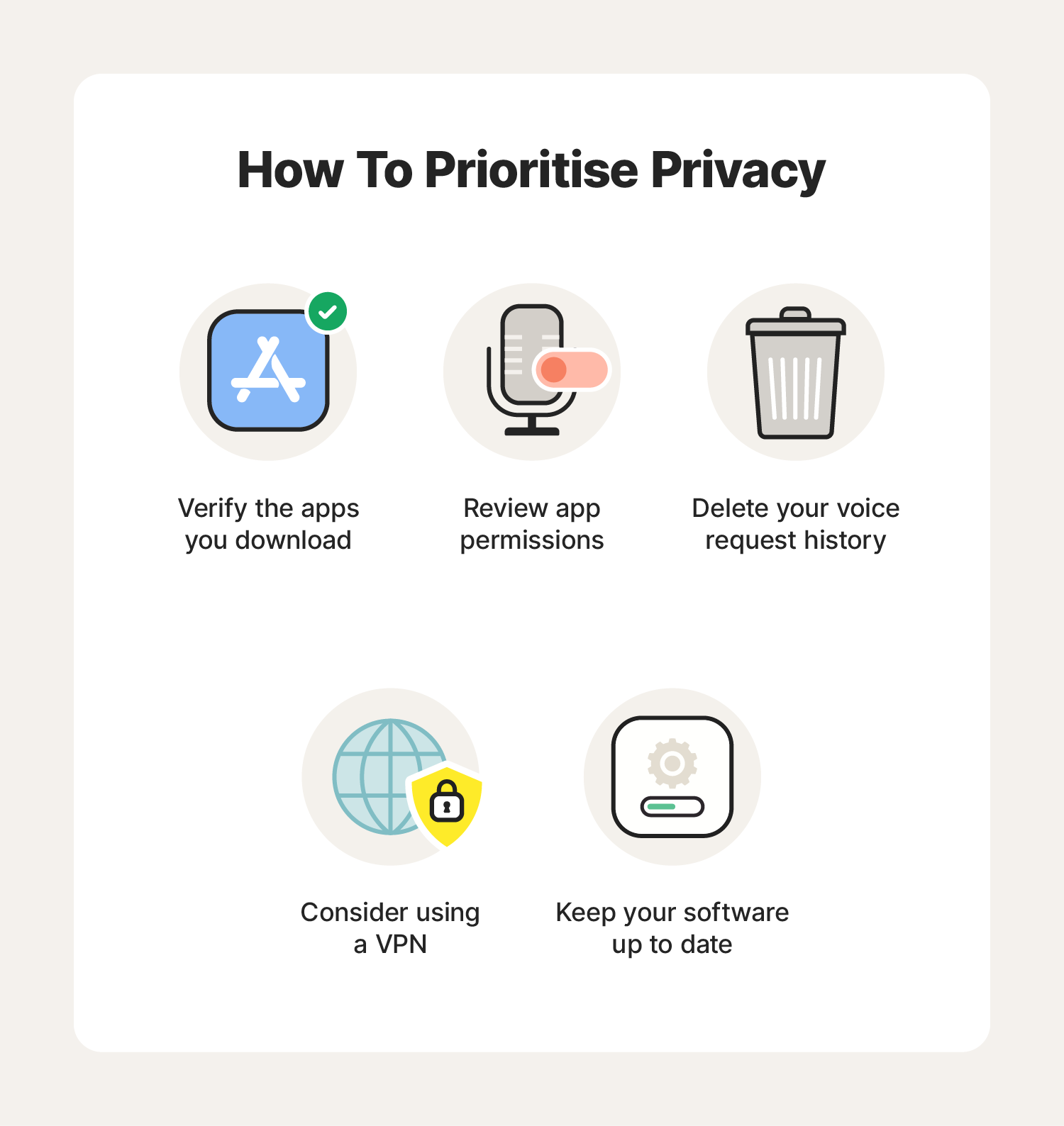
An image including tips to help keep your phone conversations private.


  1. Check app reviews and download apps from official stores: Do your research to help avoid downloading third-party applications that may contain malware.
  2. Review app permissions: Determine whether specific apps need access to your microphone and, in turn, access to your conversations.
  3. Delete your voice request history: Check your voice assistant conversation history to ensure that there’s no memory bank of your conversation and that potentially sensitive information isn’t at risk in the event of a cyberattack.
  4. Keep your software up to date: Install updates and patches to stay ahead of cybercriminals seeking to exploit security vulnerabilities.
  5. Use a VPN: Use a VPN to add a powerful layer of privacy protection that encrypts your connection to help keep the personal information you send and receive safe.

Keep your personal information safe from eavesdroppers

With so many app permissions to keep track of, strong mobile security is essential. Norton 360 for Mobile includes a built-in VPN with bank-grade encryption to help safeguard the sensitive personal information you send and receive. Plus, it features antivirus tools to help block malware and spyware in real time. Protect your device and keep your personal details private.

Oliver Buxton
Oliver Buxton, a staff editor for Norton, specializes in advanced persistent threats. His work on cyberterrorism has appeared in The Times, and his prior work includes writing digital safeguarding policies.

Editorial note: Our articles provide educational information for you. Our offerings may not cover or protect against every type of crime, fraud, or threat we write about. Our goal is to increase awareness about Cyber Safety. Please review complete Terms during enrollment or setup. Remember that no one can prevent all identity theft or cybercrime, and that LifeLock does not monitor all transactions at all businesses. The Norton and LifeLock brands are part of Gen Digital Inc. 


Want more?

Follow us for all the latest news, tips, and updates.