



What is spear phishing? Definition and examples
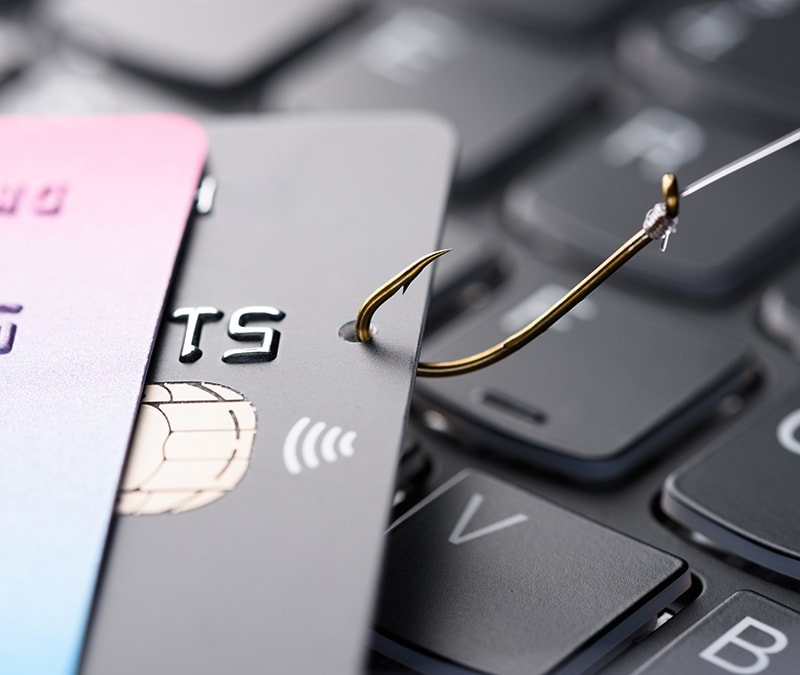
Not to be confused with an aquatic hunt on a tropical holiday, spear phishing is a type of highly-tailored phishing attack that targets a specific individual. Learn how spear phishing works, and find out how Cyber Safety software can help protect you from even highly personalised phishing scams.






What is spear phishing?
A spear phishing attack is a type of phishing attack that’s been highly personalised to target a specific individual or small group. Using social engineering techniques, spear phishers take advantage of knowledge about their target to trick them into disclosing sensitive information, clicking malicious links, or downloading malware.
Knowing personal details like a target’s job, full name, date of birth, professional interests, or browsing habits helps spear phishers craft convincing pretexts that can make scams harder to spot.
Unlike mass phishing emails, spear-phishing messages feel authentic and familiar. And that personalisation works: in a review of 50 billion emails across 3.5 million inboxes, Barracuda, a cybersecurity company, found that spear-phishing made up less than 0.1% of all emails but caused 66% of breaches.
Here’s a closer look at what spear phishing is, how it works, and tips to protect yourself.
How spear phishing works
In cybersecurity, spear phishing works by leveraging personal information to create a tailored phishing message that looks legitimate and earns the trust of one targeted individual.
Here’s how it generally happens:
- The phisher identifies their target: The attacker decides who to target and what they want to obtain, such as access to a specific account or system or financial information.
- The phisher gathers intelligence: They research the target using publicly available information, data breaches, or social media to learn details that make the attack more believable. The phisher may search for job roles, routines, or family members.
- The phisher drafts a message: Using the collected details, the attacker crafts a personalised message that appears relevant and credible, often impersonating a trusted contact, organisation, or authority to lower the target’s suspicion.
- The message is sent out: The attacker delivers the message through a channel the target regularly uses, such as email, text (smishing attacks), phone calls (vishing attacks), or social media platforms.
- You respond: If you fall for the ruse, you could be fooled into clicking a link to a malicious website, opening a malware-infected attachment, or replying with sensitive information.
- Your data gets stolen: The attacker uses the interaction to capture credentials, financial details, or other sensitive data, which can then be used for account takeover, fraud, identity theft, or further attacks.
The success of a spear phishing campaign largely depends on how much research and customisation go into the attack. This focus on quality over quantity means that hacktivists and government-sponsored hackers are sometimes identified as being behind spear phishing attacks.

Spear phishing vs. phishing vs. whaling
The main difference between phishing, spear phishing, and whaling is who the target is, and why they’re being targeted. Phishing attacks target large groups, spear phishing attacks target one person or a very small, specific group, and whaling attacks aim for a singular, high-value target.
Here’s a detailed look at the differences:
- Phishing: The attacker sends a generic message to a large number of recipients, relying on volume rather than personalisation. The message is not tailored to a specific individual and typically aims to steal login credentials, payment details, or other basic information. While individual losses may be smaller, phishing campaigns can still cause widespread damage.
- Spear phishing: The attacker targets a specific individual or small group and personalises the message using known details, such as job roles, relationships, or recent activity. Because the message appears more relevant and trustworthy, spear phishing attacks are more likely to succeed and can lead to account takeover, identity theft, or targeted financial fraud.
- Whaling: A highly targeted form of spear phishing that focuses on high-value individuals, such as executives or senior decision makers. Whaling attacks are designed to exploit authority or access and often attempt to trigger large financial transactions, expose sensitive company data, or compromise critical systems.
So, while the intent to trick someone into granting access or revealing sensitive information is the same for all three, the level of targeting changes both how difficult the scam is to spot and how severe the damage can be.
Real-world spear phishing examples
Here are some real-world examples that show how spear phishers used targeted messaging to gain access to systems, steal money, and breach sensitive data.
Phishing campaign targets client support team
In an attack uncovered in 2025, spear phishers sent a fake banking-themed email to a manufacturing company’s support team email address. The message appeared to be a legitimate payment request included as a ZIP file in the email.
When the recipient opened the attachment, it installed spyware on their device. This malware quietly recorded keystrokes and collected saved passwords and other sensitive data to send back (or “exfiltrate” in cybersecurity parlance) to the attacker.
Remote access Trojans targets Ukraine’s war effort
In this spear phishing campaign, dubbed PhantomCaptcha, attackers targeted aid organisations and Ukrainian regional government offices involved in war relief efforts. This was a multi-stage spear phishing chain that’s said to have taken six months to plan.
Here’s an overview of how the PhantomCaptcha spear phishing attack happened:
- Initial bait: Targets received an infected PDF designed to look like a legitimate government notice.
- Fake CAPTCHA-based phishing: The PDF directed recipients to a fake CAPTCHA page that instructed them to click “I’m not a robot.”
- Malware installed: The “click” caused a hidden PowerShell command to run and install malware on the device.
- Attackers gained remote control: A remote access Trojan (RAT) was deployed, allowing attackers to monitor activity, steal data, and run commands remotely.
Although the phishing emails were delivered during a short window, the malware they installed created long-term security risks. Once the remote access Trojan was in place, attackers could maintain persistent access, execute commands remotely, and exfiltrate data over time, potentially enabling follow-on attacks well beyond the initial spear phishing campaign.
Suspicious meeting invitation targets Edinburgh students
In another incident in early 2025, staff at Edinburgh Council's education department in Scotland identified spear phishing emails with suspicious meeting invitations sent to students and parents. The council acted quickly, resetting all student passwords as a precaution. But unfortunately, this locked students out of critical online learning tools during exam season.
While no data was compromised, the incident shows how a single, believable message can still cause real disruption, even when it’s caught quickly.
Tips on protecting yourself from spear phishing attacks
Spear phishing is designed to look personal and credible, so the best defence is slowing down and verifying before you click, open, or reply. Use these habits to reduce your risk of falling for a spear phishing attack:
- Be aware of phishing schemes: Look for common red flags, like unexpected urgency, pressure to bypass normal processes, unusual requests for money or sensitive info, and messages that don’t match the sender’s typical tone.
- Check sender details: Attackers can spoof display names while using look-alike email addresses. Expand the sender info in an email and look for misspellings, extra characters, or swapped letters and numbers.
- Verify links before clicking: Hover to preview the destination and watch for odd domains or extra words (being careful not to click!). If you need to access an account, type the site into your browser or use a saved bookmark instead of clicking a link.
- Confirm unusual requests using another channel: If a sender asks for sensitive information, gift cards, wire transfers, or login credentials, verify by calling a known number or messaging the person through a separate, trusted method.
- Treat attachments as potentially unsafe: Do not open unexpected attachments, especially if they are urgent or vague, as this could trigger a malware download.
- Reduce your exposure on data broker sites: Data brokers collect and sell personal information that attackers can use to personalise spear phishing messages. Privacy tools, like those included in Norton 360 Deluxe, can help you opt out where possible, limiting how much information is exposed.
- Use stronger account protections: Use unique, secure passwords and a password manager. Turn on 2FA or authenticator-based verification for key accounts, especially email, banking, and workplace logins.
- Keep your software updated: Software updates often patch security vulnerabilities that attackers exploit. Turn on automatic updates when possible.
- Keep files backed up: Regular backups can help you recover if malware or ransomware that locks up or corrupts your files is installed after a phishing attack. If you need to use a backup, just be sure to use one from before the malware was installed on your device.
What to do if you clicked a spear phishing link
If you clicked a suspicious link, opened an attachment, or entered information, act quickly to limit damage and secure your accounts. Follow these tips as soon as possible to mitigate the damage:
- Disconnect from the internet: Turn off Wi-Fi or disable mobile data to reduce the chance of malware communicating outward.
- Run an anti-malware scan: Use a trusted malware scanner tool to check for malware, spyware, or remote-access tools and follow recommended remediation steps.
- Change your passwords: Change the password associated with your email account, then move on to banking and other critical accounts. Use unique, strong passwords and sign out of other sessions.
- Enable two-factor authentication (2FA): Turn on 2FA immediately (preferably an authenticator app or security key) to reduce the risk of account takeover if credentials were captured.
- Monitor for suspicious activity: Check for unfamiliar logins, password reset emails you did not request, new forwarding rules in your email, and unauthorised transactions. Continue to monitor this for several weeks.
- Report the message: Report spear phishing to your email provider or your workplace IT/security team. If the message impersonates a company, report it to that organisation too.
- Monitor for signs of identity theft: If you shared personal data, monitor financial statements and credit reports for unexpected activity. Consider placing a fraud alert or credit freeze if your personal information was exposed online.
Protect yourself against spear phishing
Spear phishing works because attacks appear legitimate and arrive at the right moment, making them difficult to spot even if you know what to look for. Dedicated Cyber Safety software can help you catch malicious links, fake websites, and spyware when your guard is down.
Norton 360 Deluxe includes robust AI-powered scam protection that helps block fraudulent websites, scan downloads and attachments for malware, and monitor apps for suspicious behaviour that could indicate spyware. It also includes antivirus, a VPN, and a password manager to help protect your devices, online activity, and credentials.
FAQs
How do cybercriminals use AI in spear phishing?
Cybercriminals can now use AI tools to automate highly personalised spear phishing attacks. And instead of manually creating for a small number of specific targets, attackers can use AI to create customised emails for thousands of individuals. By analysing public information, writing patterns, and online behaviour, AI can help generate targeted emails, messages, and fake websites that sound more natural and convincing. This makes spear phishing attacks harder to spot and easier to automate.
Is clone phishing the same as spear phishing?
No. Spear phishing targets a specific person using personalised details to make a message feel legitimate. Meanwhile, clone phishing is a type of spear phishing in which a real, previously received message is copied and resent with a malicious link or attachment substituted for the original.
What would indicate a spear phishing email?
Since spear phishing emails are highly personalised, they might not have the usual telltale signs of a phishing message such as spelling mistakes or generic greetings. However, they might share warning signs such as unexpected urgency or requests for sensitive information or money.
Editorial note: Our articles provide educational information for you. Our offerings may not cover or protect against every type of crime, fraud, or threat we write about. Our goal is to increase awareness about Cyber Safety. Please review complete Terms during enrollment or setup. Remember that no one can prevent all identity theft or cybercrime, and that LifeLock does not monitor all transactions at all businesses. The Norton and LifeLock brands are part of Gen Digital Inc.






Want more?
Follow us for all the latest news, tips, and updates.