






Protecting your phone and tablet from loss, theft, and attacks
Our phones are not just phones anymore. That ‘phone’ you use to stay in touch with people is actually a little computer--a ‘mobile device’--containing valuable information about you, your family, your friends, and your life.


Our phones are not just phones anymore. That ‘phone’ you use to stay in touch with people is actually a little computer--a ‘mobile device’--containing valuable information about you, your family, your friends, and your life. Can you imagine losing your mobile device? What if your mobile device is attacked by a virus, or a phone phishing attack? The information on your mobile device is now as critical and confidential as data on your laptop or desktop. It’s time to start thinking about protection beyond the computer.

Help protect your digital life on your devices.
Are you afraid of losing your personal information or all the precious things on your computer? Get comprehensive protection with Norton Security Deluxe across all your devices – up to 5 PCs, Macs, smartphones or tablets.
Create an account today and try it free for 30 days on up to 5 of your devices.
People are using their mobile devices for so much more than just talking to each other. Maybe you’re one of them. Maybe you use your mobile device to pay bills, check email, obtain driving directions, check on retail discounts, download coupons, purchase movie tickets, check on the weather, book an airline flight, and who knows what else? With applications (“apps”) available for your mobile device, there are endless possibilities when it comes to making life easier.
To many, mobile devices are a lifeline to work, family, and social lives. Moms and dads use them to stay in touch with their kids; executives use them for everything from booking appointments to tracking stock prices; and business owners use them to help track inventory and stay in touch with their workers, their business partners, and their customers. It’s never-ending.
You might have banking and insurance data, private contacts, and a lot of personal and business information that you use on a daily basis residing right there on your ‘phone’. But what if you lost this mobile device? What if it was stolen? What if your mobile device “got sick” with a virus that threatened to destroy or steal that information? Let’s take a closer look at some of the precautions you should be aware of as you increase your dependency on that ‘little computer’ in your purse or pocket.
Losing Your Mobile Device
Like anything else, it’s certainly possible that your phone could get lost or stolen. Here are some safety tips to keep in mind:
- Lock it
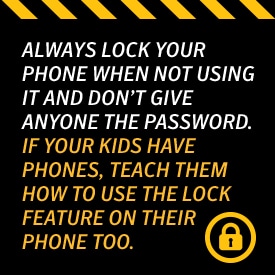
Always lock your phone when not using it and don’t give anyone the password. Yes, ‘unlocking’ your phone every time you want to use it gets tedious, but it’s also your first line of defense if the device is lost or stolen, as thieves won’t have instant access to your information. If your kids have phones, teach them how to use the lock feature on their phone too.
- Hide it
If you can’t take your phone with you, don’t leave it in your vehicle where anyone can see it. This could be an open invitation for stealing. Lock it in your trunk or glove compartment. Better yet, take it with you!
- Don’t advertise your home address
Today’s smart phones often include GPS technology, and if you use this feature it’s quite possible that you have your home address as a “favorite” or frequent destination. It would be wiser to include your home address under a made-up name, so that if your phone is stolen, the culprit wouldn’t have immediate knowledge of where you live. Additionally, keep your location turned off unless you need it.
- Notify ASAP
If you phone is lost or stolen, contact your phone provider right away to prevent anyone else from using your phone. Depending on your provider, you might be held responsible for unauthorized usage if you do not notify the provider within a certain timeframe. You may also want to inquire about ‘Find Me’ services from your provider that locate your phone if lost or stolen.
- Old Phone Awareness
If you decide to get a new phone, don’t forget to delete your personal information from your old phone first. Most mobile devices have a ‘reset to factory settings’ option, and you should use that before recycling or storing it. Also be sure to remove or wipe clean any inserted memory card as well.
- Secure It
The best thing you can do for the physical safety of your mobile device is to use software that provides an array of features specifically designed to thwart unauthorized use of your phone. Norton Mobile Security, for example, not only prevents strangers from using your phone, but will help you or the authorities locate it. In addition, the software lets you lock your phone via the Internet and also displays a message – written by you – that informs anyone who finds the device how to contact you or make arrangements to get it back in your hands. If it gets to the point that you know your device has been stolen and is unrecoverable, Norton Mobile Security lets you remotely erase data on your phone so that it can’t be used by anyone else.
- Short-term Storage
Using your phone for long-term storage of sensitive data is not recommended. Minimize the amount of data you keep on your device and refrain from using it as a long-term digital storage facility. Keep such information off your device as much as possible.
- Public WiFi
Would-be thieves use unsecured public WiFi to hack into personal devices, or may go the old-fashioned route and simply look over your shoulder. Use discretion when on your phone in public, and avoid public WiFi as much as you can. Also ensure your phone’s WiFi settings don’t pick up every WiFi signal.
- Virtual Private Network
Encrypting your data with a virtual private network (VPN) is recommended, especially if you use your device in coffee shops and other public settings frequently. Encrypt application data as well.
- Backing Up
Backing up your data regularly and syncing it with your laptop is another excellent security measure.
- App Downloads
Researching apps thoroughly before you download them is very necessary, as app stores are unfortunately laden with apps that steal your information or place malware on your phone. Do your research about the app and its developer before hitting ‘install.’
Phones are not immune to ‘phishing’ attacks
As stated earlier, your mobile device is literally a computer. And just like your desktop or laptop at home and at work, smartphones are susceptible to threats, viruses, and attacks.
You should already know not to click on unknown links when using the Internet on your mobile device. In fact, you should adhere to the same website vigilance that you would practice on any other computer. In other words, be careful!
Yes, you can easily click on a fraudulent link from your phone that takes you to a website designed to fool you into revealing personal information used to steal your money, your identity, or both. Norton Mobile Security provides anti-phishing protection, download threat protection, and will even remove mobile threats before they do any harm without slowing your mobile device down or adding anything complicated to the mix of programs you already have on your device
Protect your Tablet too!
Tablet computers have gained in popularity, and just like any other “smart” device, you’ll need to protect your tablet and the data on it from loss, theft, viruses, and other threats. Antivirus and antimalware protection is available on Norton Mobile Security, which scans all files that enter the device. Plus, an on-demand scan lets you check out the safety of applications and files that are already on the tablet.
Just like your mobile device, your tablet requires the same web protection, threat protection, and anti-phishing protection, and Norton Mobile Security delivers it in spades. With features designed to thwart thieves and troublemakers, your tablet’s processing time or web browsing won’t be slowed down at all, despite the added protection.
We carry our mobile devices and tablets virtually everywhere we go. If you lose these machines, it can cost you time, money, inconvenience, embarrassment, and worse. Be sure to keep these devices protected as you would any other computer. In fact, all your family devices, used by kids and spouses, should maintain the same level of protection. Be sure to teach your kids that smart and sensible Internet habits are not only applicable to desktops and laptops, but also to their phone and tablet devices as well.
Editorial note: Our articles provide educational information for you. Our offerings may not cover or protect against every type of crime, fraud, or threat we write about. Our goal is to increase awareness about Cyber Safety. Please review complete Terms during enrollment or setup. Remember that no one can prevent all identity theft or cybercrime, and that LifeLock does not monitor all transactions at all businesses. The Norton and LifeLock brands are part of Gen Digital Inc.




Want more?
Follow us for all the latest news, tips, and updates.