Who's this for?

Answer 3 quick questions to get matched with the best protection. Firstly, choose who or what you need to cover below.

What are you most concerned about?

We'll suggest the best coverage for your concerns. Select all that apply.

How many devices do you need to protect?

For the best protection, cover every device you use online.

Creating your recommendation

norton:productquiz:iconturninggears
Did you know?
Norton technology blocks millions of cyberthreats every day.
Trusted by millions of customers around the globe.
Norton™ Mobile Security
Standard
A$32.99
A$32.99first yr

Automatically renews at {ar}/year,
unless the renewal is cancelled.
Price is subject to change.
See subscription details below.*

  • Protection for 1 iPhone® or iPad®
  • Scam Protection
  • Wi-Fi Security
  • Internet Security
  • Device Security
Norton AntiVirus
Plus
A$75.99
A$75.99first yr

Savings compared to the renewal price of {ar}/year.
See subscription details below.*

  • 1 PC or Mac
  • Scam Protection
  • Antivirus, malware, ransomware, and hacking protection
  • 100% Virus Protection Promise2
  • 2 GB Cloud Backup‡‡,4
  • Password Manager
  • Deepfake Protection23,33
Norton 360
Standard
A$104.99
A$104.99first yr

Savings compared to the renewal price of {ar}/year.
Price is subject to change.
See subscription details below.*

  • 1 PC, Mac, tablet, or phone
  • Scam Protection
  • Antivirus, malware, ransomware, and hacking protection
  • 100% Virus Protection Promise2
  • 10 GB Cloud Backup‡‡,4
  • Password Manager
  • Deepfake Protection23,33
  • VPN private internet connection
Norton Identity Advisor
Plus
A$119.99
A$119.99/first yr

Payment method required.
If not cancelled: {sale}/first year.
Then {ar}/year.
See subscription details below.*

  • Identity Restoration Support
  • Financial Monitoring​
  • Social Media Monitoring17
  • Dark Web Monitoring​§
  • Stolen Wallet assist
  • Identity Theft Insurance
Norton 360
Deluxe
A$149.99
A$149.99first yr

Savings compared to the renewal price of {ar}/year.
Price is subject to change.
See subscription details below.*

  • 3 PCs, Macs, tablets, or phones
  • Scam Protection
  • Antivirus, malware, ransomware, and hacking protection
  • 100% Virus Protection Promise2
  • 50 GB Cloud Backup‡‡,4
  • Password Manager
  • Deepfake Protection23,33
  • VPN private internet connection
  • Dark Web Monitoring§
  • Parental Control
Norton VPN Standard
VPN
A$129.99
A$129.99first yr

Savings compared to the renewal price of {ar}/year.
See subscription details below.*

  • IP masking to hide your online activities
  • Access your favorite content across borders
  • Ad Blocker to browse without annoying ads14
  • No-log policy to ensure your privacy
  • Kill Switch to help prevent privacy exposure
  • IP Rotation and Double VPN for extra privacy
  • AI-powered protection against scams, phishing, and malware.
  • Monitoring for your info on the dark web§
  • Password Manager to use strong passwords
  • 10GB of Cloud Backup4 for valuable files
A$349.99
A$349.99first yr

Savings compared to the renewal price of {ar}/year.
See subscription details below.*

  • 10 PCs, Macs, tablets, or phones
  • Get always-on cyber protection for your business devices.
  • Get 24/7 business tech support and expert help with virusesΔ.
  • Work and bank safer online with our secure browser.
  • Store your passwords and usernames in our encrypted vault.
  • Close security holes with our automatic Software Updater21.
  • Enjoy more reliable PCs with our cleaner and optimizer21.
  • Monitor employee identity leaks on the dark web (5 contacts)§
  • Backup up to 500GB of your data in our secure cloud21.
  • Connect to the web more safely on-the-go with our VPN.
  • Enjoy safer and more reliable PCs with Driver Updater21.
Norton 360
Premium
A$194.99
A$194.99first yr

Savings compared to the renewal price of {ar}/year.
Price is subject to change.
See subscription details below.*

  • 5 PCs, Macs, tablets, or phones
  • Scam Protection
  • Antivirus, malware, ransomware, and hacking protection
  • 100% Virus Protection Promise2
  • 100 GB Cloud Backup‡‡,4
  • Password Manager
  • Deepfake Protection23,33
  • VPN private internet connection
  • Dark Web Monitoring§
  • Parental Control
Norton
Small Business
A$249.99
A$249.99first yr

Savings compared to the renewal price of {ar}/year.
See subscription details below.*

  • Get always-on cyber protection for your business devices.
  • Get 24/7 business tech support and expert help with virusesΔ.
  • Work and bank safer online with our secure browser.
  • Store your passwords and usernames in our encrypted vault.
  • Close security holes with our automatic Software Updater21.
  • Enjoy more reliable PCs with our cleaner and optimizer21.
  • Monitor employee identity leaks on the dark web (5 contacts)§
  • Backup up to 250GB of your data in our secure cloud21.
Norton
Small Business
A$99.99/year

Price shown is for first year.
Plus applicable sales tax.
See subscription details below.* 

  • 5 PCs, Macs, tablets, or phones
  • Get always-on cyber protection for your business devices.
  • Get 24/7 business tech support and expert help with virusesΔ.
  • Work and bank safer online with our secure browser.
  • Store your passwords and usernames in our encrypted vault.
  • Close security holes with our automatic Software Updater21.
  • Enjoy more reliable PCs with our cleaner and optimizer21.
  • Monitor employee identity leaks on the dark web (5 contacts)§
  • Backup up to 250GB of your data in our secure cloud21.


Your personalized matches

norton:productquiz:iconshieldnumber60
60-day money-back guarantee
  • Best choice

  • Better choice

  • Good choice

*Important subscription, pricing, and offer details:

  • By subscribing, you are purchasing a recurring subscription which will automatically renew.
  • The price quoted today is valid for the offered introductory term. After that, your subscription will be billed at the applicable monthly or annual renewal price here. The price is subject to change, but we will always send you a notification email in advance.

2 Requires an automatically renewing subscription for a product containing antivirus features. For further terms and conditions, please see norton.com/virus-protection-promise.
4 Only available on Windows systems (but not in S mode or on ARM processors).
21 Utilities Ultimate, Driver Updater, Software Updater, and Cloud Backup features are only available on Windows (excluding Windows in S mode and Windows running on ARM processor).
Monitoring available on Windows™ PC, iOS, and Android™ devices. Not all features available on all platforms.
§ Monitoring not available in all countries and varies based on region.

norton:productquiz:iconquestionmarkspeechbubble

norton:productquiz:iconquestionmarkspeechbubble

norton:productquiz:iconquestionmarkspeechbubble

Protect yourself from mobile scams

With copycat apps growing on official app stores, it’s harder than ever to know whether an app you’re downloading is genuine.


Image

With copycat apps growing on official app stores, it’s harder than ever to know whether an app you’re downloading is genuine. Outside of the big, trusted names, how do you know if an unknown developer with few reviews is really making useful apps, or simply building vehicles for getting malware onto your smartphone? To add an extra layer of reassurance when browsing for new apps, download Norton Mobile Security and use it to scan new apps before you run them – you might be surprised what you find out.
How to protect yourself from mobile scams

Social media spam

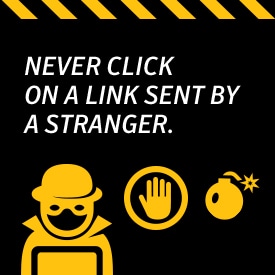
If you’re on Twitter you’ll know how annoying it is to be followed by a garbled name with zero followers, and to then receive a tweet with little more than a link. And Facebook is full of fake profiles, some of which have innocent intentions, but most are there to provide fake Likes on demand – or to spam genuine users with phishing links. However convincing a message may be, never click on a link sent by a stranger. Even if it seems harmless enough at the time, you could end up either giving your valuable personal details to a criminal, or – worse – have malware inserted onto your mobile. Security software can be a big help in preventing infection.

In addition to utilizing security software, familiarize yourself with the most common types of social media scams:

  • "Friends" urgently requesting money
  • Requests to click on links supposedly containing “wild” party photos of you
  • Quizzes asking for your name and phone number that end up charging you monthly
  • Requests to click on shortened URLs that install malware on your device
  • Chain letters

SMS phishing

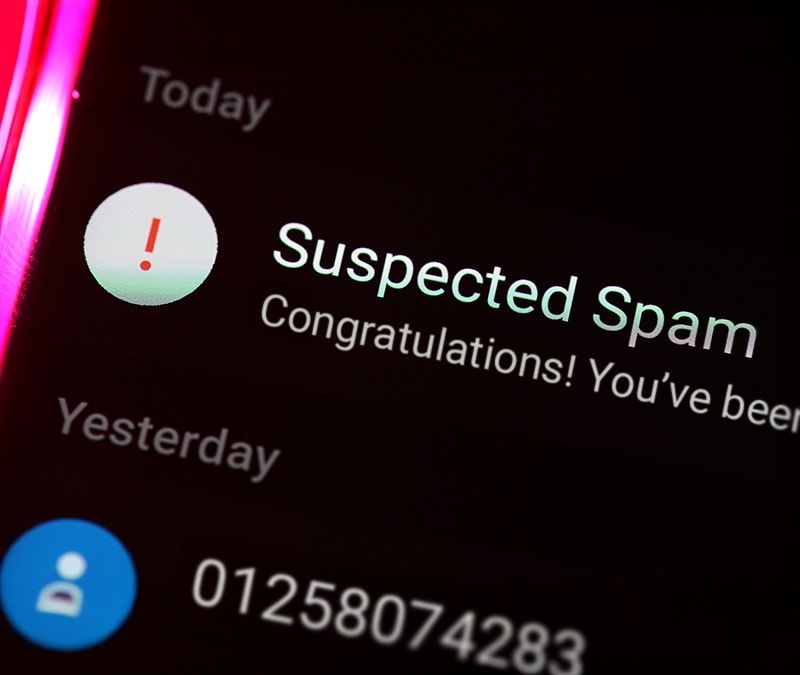
The same applies to old-fashioned SMS, with messages arriving from unknown numbers urging you to reply to a number or to click on a link and open it in your phone’s browser. Again, doing so may be harmless, but will more likely insert malware onto your phone – or at least alert scammers to the fact that your number is active and worth targeting again.

Common SMS phishing, or smishing, examples include:

(Name of well-known online bank) confirms you have purchased a laptop from (name of well-known computer company). Visit [this URL] if you did not make this online purchase."

"We confirm that you have signed up for our food delivery service. You will be charged $5 a day unless you cancel your order on this URL now: [URL]".

"(Name of banking institution): Your account has been suspended. Call [this number] now to reactivate."

Vishing

Voice phishing – or vishing – has a human element, and it takes many forms. A scammer might call pretending to be your bank, ask for your security details and PIN number, and inform you that your card has been compromised and a courier will be arriving soon with a replacement. Of course, the replacement is a fake, and the scammer gets away with your genuine card and security details. Even without the physical element, simple voice phishing for login details is common, and surprisingly effective. Your bank will never ask for your PIN, so never give it to anyone that does ask. If you do receive an unexpected call from your bank, tell them you’ll call them back before giving any security details. Legitimate correspondence between you and your bank generally comes in the form of letters.

The same is true of the IRS. Anyone calling you and saying they’re an IRS agent and you must pay on back taxes is a scam. The agency will always send you a letter regarding audits, back tax issues, or similar problems.

More Tips For Protecting Yourself

  • If it sounds too good to be true, it is.
  • Look for poor grammar and misspellings in messages.
  • Avoid monetary promises for little to no effort.
  • Call your financial institutions about supposed account suspensions and closings.
  • Keep up with privacy settings on all social media accounts.
  • Refrain from using social media sites on public WiFi networks.
  • Change passwords regularly.
  • Delete links on social media walls you do not recognize.
Norton logo
  • Norton
Norton empowers people and families around the world to feel safer in their digital lives

Editorial note: Our articles provide educational information for you. Our offerings may not cover or protect against every type of crime, fraud, or threat we write about. Our goal is to increase awareness about Cyber Safety. Please review complete Terms during enrollment or setup. Remember that no one can prevent all identity theft or cybercrime, and that LifeLock does not monitor all transactions at all businesses. The Norton and LifeLock brands are part of Gen Digital Inc. 


Want more?

Follow us for all the latest news, tips, and updates.