






What to do if a scammer has your email address – 8 tips
So, it’s happened to you: a scammer has your email address, or worse, you’ve been hacked. What should you do now? Learn how email accounts can get compromised and eight tips to help protect your email before it’s hacked. And get ironclad cybersecurity protection to help secure your email, block hackers, and keep your identity safe.






- 1. Don’t reply to messages from the scammer
- 2. Change your password and security questions
- 3. Set up 2FA
- 4. Request removal of your information from people-search sites
- 5. Use email filters
- 6. Report the scammer
- 7. Scan for malware and viruses
- 8. Consider creating a new email address
- How do I know if my email has been hacked?
- 9 ways scammers can use your email address
- Help protect your identity and email account
- FAQs about what to do if a scammer has your email address
1. Don’t reply to messages from the scammer
First of all, don’t reply to any messages from the scammer, even if they keep trying to contact you. Replying to scammers in any way may open you up to more scams or even expose your device to malware.
2. Change your password and security questions
To help prevent a scammer from getting access to your email account, choose a new secure password and update your security questions. Changing these important security features should automatically lock out any other devices currently logged into your account, if it’s already hacked.
3. Set up 2FA
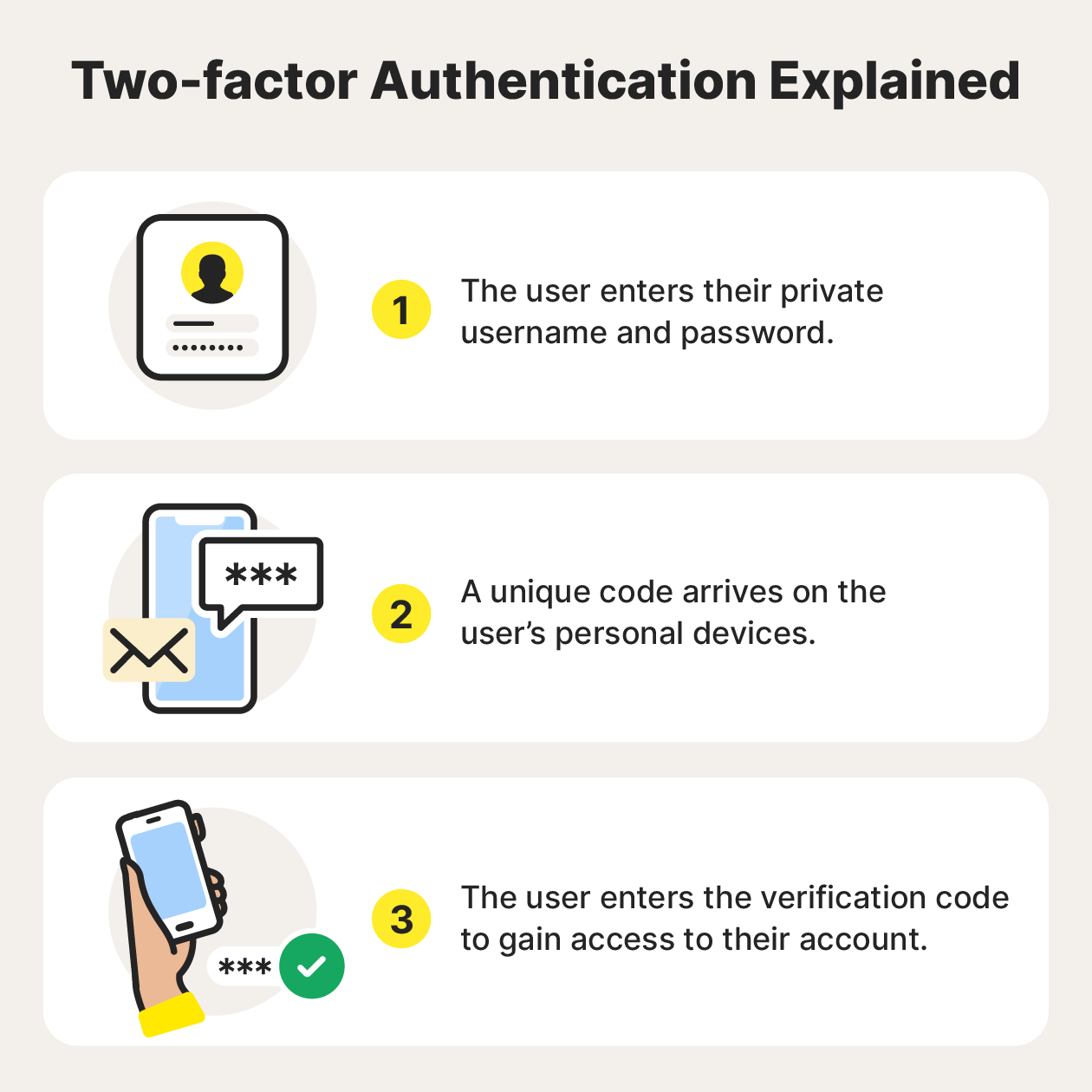
Setting up two-factor authentication (2FA) adds an additional layer of protection to help secure your accounts against hacking. 2FA requires an additional method of authentication, like a biometric scan or a security code sent via SMS, on top of a password to log into an account. That way, if a scammer ever gets ahold of your password, they still won’t be able to log into your account.
4. Request removal of your information from people-search sites
People search sites collect and share basic personal data about you with anyone who searches your name. This information can include your age, address, social media profiles, and even traffic infractions and debts.
While it’s legal for these sites to share your information, it’s also possible to have your sensitive data removed. You can contact these sites to request that they delete your information, usually through an opt-out process.
5. Use email filters
Email filters are an easy fix to help prevent scam and spam messages from getting into your inbox. While most email service providers have built-in filters, some are more effective than others, and you may need to adjust your email security settings to maximise functionality.
6. Report the scammer
To report a scam email, select the option to report it as phishing. Once reported, any future emails from that email address will be sent to your spam email folder.
If you come across a phishing email and want to report it to the authorities, you can fill in an online form at ScamWatch (run by the National Anti-Scam Centre).
7. Scan for malware and viruses
If you get a scam email, make sure to scan for malware and viruses immediately as your device could be infected, especially if you clicked a link or downloaded a file.
Get a malware scanning tool to scan your device automatically to help detect and remove hidden malicious software that may have entered your system through your email. Norton 360 Advanced features powerful malware-detection technology and will help you identify and remove hidden threats.
Another way to help know if an email is a scam or a website is malicious is to use an AI-powered assistant to help determine if a message is real or a scam. Simply upload a screenshot, or copy and paste the email, text message, social media post, or website that you want to check and find out in seconds if it could be a scam.
8. Consider creating a new email address
If you’re wondering ‘my email has been hacked, how do I fix it?’ you may want to start by getting a new email address. While this can be a headache, especially if you’ve had your account for a long time, starting fresh with a new email address (that’s unrelated to your name) means the hacker is less likely to target you again.
Of course, if you have Gmail and it’s linked to your everyday Google account, this could be especially cumbersome to change. If the scammer only knows your address and hasn’t got access to your account yet, try using our tips above to help stop your email from being hacked in the first place.
How do I know if my email has been hacked?
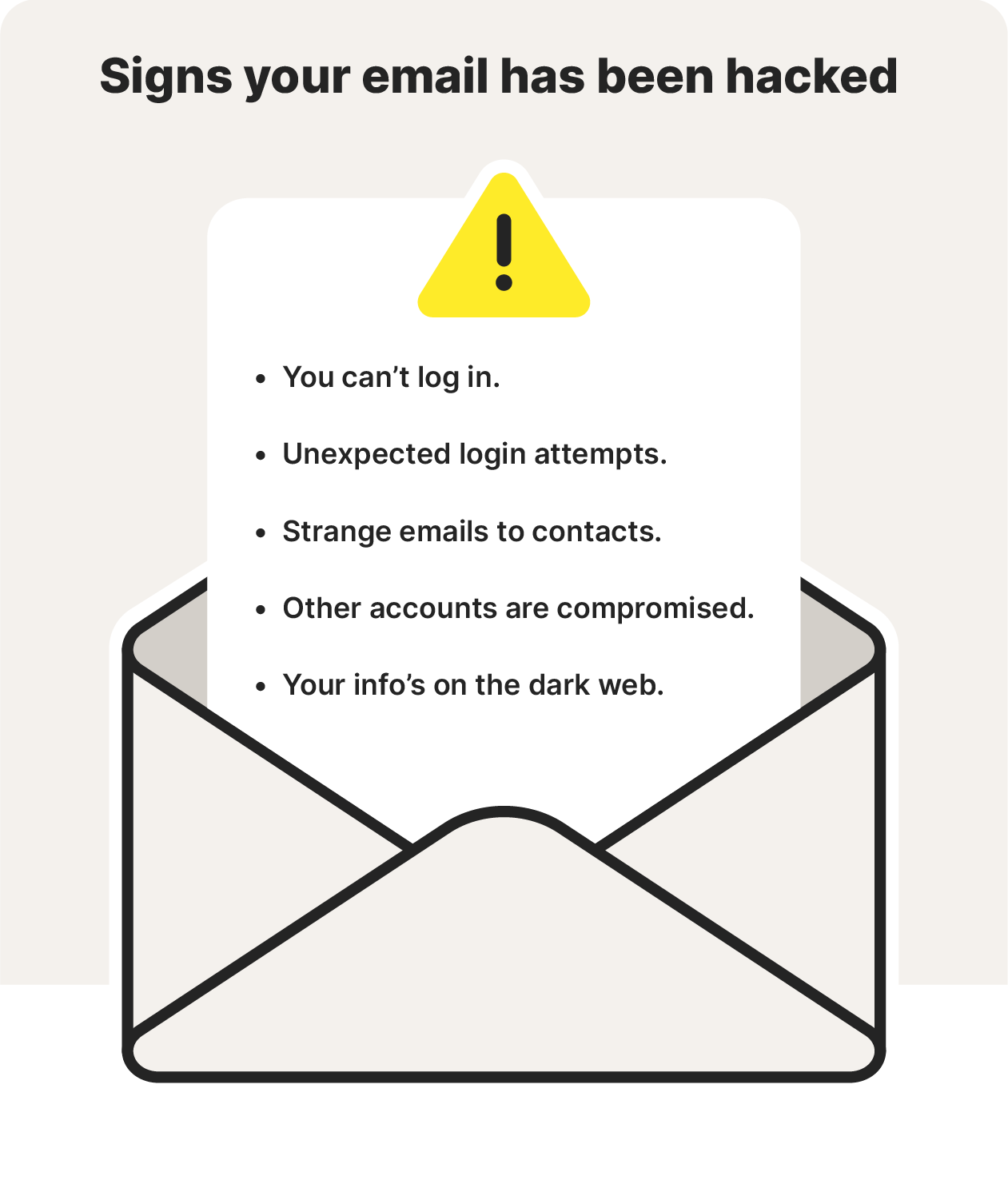
Here are signs to help you tell if your email has been hacked:
- You can’t log in: If you can’t log into your email after multiple attempts and you know the password is correct, that’s a sign that your password may have been changed without your knowledge.
- You notice unexpected login attempts: If you receive login attempt notifications you aren’t expecting, especially from odd locations, someone may be trying to log into your email account.
- Your contacts receive strange emails from your account: If your contacts are receiving strange emails from you, and you didn’t send them, a hacker is likely already using your account to try to scam your contacts.
- Other accounts are compromised: If you have other accounts that have been hacked, it’s possible the cybercriminal has even more info about you. They could have uncovered login details for your other accounts from your email account or vice versa.
- Your info’s on the dark web: If a dark web scan detects that your data is on the dark web, a scammer may be able to access that info and compromise your identity.
9 ways scammers can use your email address
Here are nine things scammers can do with your email address:
- Spoof your email to impersonate you: Spoofing an email is a technique that scammers use to appear as someone else. They could impersonate you to try and scam your contacts since your contacts already know you and are likely to trust emails sent from your account.
- Learn more about you for social engineering attacks: If someone hacks your email account, they can use the info they find out about you to commit social engineering attacks on you or your contacts.
- Gain access to your other accounts: If your email has been compromised, accounts connected to your email address are vulnerable to hacking.
- Spam and scam your email contacts: Spam makes it more difficult to manage emails, as there can be so much junk that important emails get lost in the deluge. If your contacts get in touch with you saying they’ve been getting a lot of spam from your account, your email may have been hacked.
- Compromise your two-factor authentication: Two-factor authentication is a more secure method to access your accounts. But if your second sign-in method is a one-time password to your email account, a hacker could access this if they’re in your account. They could then change your 2FA method, essentially locking you out of your account, which you’ll only realise when you try to log in.
- Blackmail you: If a criminal can read your emails, they could threaten to expose sensitive or embarrassing information unless you pay them or do something they request.
- Get access to your company email: Even if only your personal email is compromised, your company email may be vulnerable if a hacker can find info about your employment in your personal emails. That could then have wider implications for your company.
- Target you with specific phishing schemes: Phishing emails appear to be from legitimate sources but are scams to get you to click a link or download a malicious attachment. The purpose of phishing attacks is often to get your personal data or infect your device with malware.
- Steal your identity: With access to your email, a hacker may have enough information to impersonate you and commit identity theft, potentially opening fraudulent credit accounts and leaving you with the bill.
Help protect your identity and email account
Email is a fundamental way we communicate online. If your email is compromised, other accounts — financial, social, and personal — can become vulnerable. While there are ways to mitigate the damage from a hacked email account, it’s best to try to stop it from happening in the first place.
To help protect your accounts and the devices you use, use online security software with built-in identity theft protection. Norton 360 Advanced features powerful tools to help block hackers, stop account takeovers, and safeguard your identity.
FAQs about what to do if a scammer has your email address
So, your email has been hacked or compromised, and you’re wondering how to fix it. We have answers.
How do I remove my email from a scammer list?
You can start by removing your email from any mailing lists that send you unwanted notifications or other spam — you should block the sender, too. Data brokers buy and sell information such as email addresses, and you can request they remove your information from their databases so new spammers and scammers can’t find it so easily.
Is it better to block or delete spam?
It’s better to block spam rather than simply deleting it, because blocking can help prevent the spammer’s emails from reaching you again. If you accidentally click a malicious link or attachment in a spam email, it could trigger a malware download on your device.
How do I permanently block an email address?
To block an email address, open an email from the unwanted sender, find the options menu, and select ‘Block sender’ or a similar option. That should permanently block the email address and protect you from any future emails from that sender.
What can someone do with my email without the password?
It depends. If they guess your password and you don’t have 2FA set up, they could hack it and gain access. They could also send you a phishing email, and if you take the bait and hand over security information, they may be able to hack your account that way. But if you follow strong security practices and use a long and unique password that isn’t compromised, then a scammer will not be able to hack your account with only your email address.
Editorial note: Our articles provide educational information for you. Our offerings may not cover or protect against every type of crime, fraud, or threat we write about. Our goal is to increase awareness about Cyber Safety. Please review complete Terms during enrollment or setup. Remember that no one can prevent all identity theft or cybercrime, and that LifeLock does not monitor all transactions at all businesses. The Norton and LifeLock brands are part of Gen Digital Inc.





Want more?
Follow us for all the latest news, tips, and updates.