Who's this for?

Answer 3 quick questions to get matched with the best protection. Firstly, choose who or what you need to cover below.

What are you most concerned about?

We'll suggest the best coverage for your concerns. Select all that apply.

How many devices do you need to protect?

For the best protection, cover every device you use online.

Creating your recommendation

norton:productquiz:iconturninggears
Did you know?
Norton technology blocks millions of cyberthreats every day.
Trusted by millions of customers around the globe.
Norton™ Mobile Security
Standard
A$32.99
A$32.99first yr

Automatically renews at {ar}/year,
unless the renewal is cancelled.
Price is subject to change.
See subscription details below.*

  • Protection for 1 iPhone® or iPad®
  • Scam Protection
  • Wi-Fi Security
  • Internet Security
  • Device Security
Norton AntiVirus
Plus
A$75.99
A$75.99first yr

Savings compared to the renewal price of {ar}/year.
See subscription details below.*

  • 1 PC or Mac
  • Scam Protection
  • Antivirus, malware, ransomware, and hacking protection
  • 100% Virus Protection Promise2
  • 2 GB Cloud Backup‡‡,4
  • Password Manager
  • Deepfake Protection23,33
Norton 360
Standard
A$104.99
A$104.99first yr

Savings compared to the renewal price of {ar}/year.
Price is subject to change.
See subscription details below.*

  • 1 PC, Mac, tablet, or phone
  • Scam Protection
  • Antivirus, malware, ransomware, and hacking protection
  • 100% Virus Protection Promise2
  • 10 GB Cloud Backup‡‡,4
  • Password Manager
  • Deepfake Protection23,33
  • VPN private internet connection
Norton Identity Advisor
Plus
A$119.99
A$119.99/first yr

Payment method required.
If not cancelled: {sale}/first year.
Then {ar}/year.
See subscription details below.*

  • Identity Restoration Support
  • Financial Monitoring​
  • Social Media Monitoring17
  • Dark Web Monitoring​§
  • Stolen Wallet assist
  • Identity Theft Insurance
Norton 360
Deluxe
A$149.99
A$149.99first yr

Savings compared to the renewal price of {ar}/year.
Price is subject to change.
See subscription details below.*

  • 3 PCs, Macs, tablets, or phones
  • Scam Protection
  • Antivirus, malware, ransomware, and hacking protection
  • 100% Virus Protection Promise2
  • 50 GB Cloud Backup‡‡,4
  • Password Manager
  • Deepfake Protection23,33
  • VPN private internet connection
  • Dark Web Monitoring§
  • Parental Control
Norton VPN Standard
VPN
A$129.99
A$129.99first yr

Savings compared to the renewal price of {ar}/year.
See subscription details below.*

  • IP masking to hide your online activities
  • Access your favorite content across borders
  • Ad Blocker to browse without annoying ads14
  • No-log policy to ensure your privacy
  • Kill Switch to help prevent privacy exposure
  • IP Rotation and Double VPN for extra privacy
  • AI-powered protection against scams, phishing, and malware.
  • Monitoring for your info on the dark web§
  • Password Manager to use strong passwords
  • 10GB of Cloud Backup4 for valuable files
A$349.99
A$349.99first yr

Savings compared to the renewal price of {ar}/year.
See subscription details below.*

  • 10 PCs, Macs, tablets, or phones
  • Get always-on cyber protection for your business devices.
  • Get 24/7 business tech support and expert help with virusesΔ.
  • Work and bank safer online with our secure browser.
  • Store your passwords and usernames in our encrypted vault.
  • Close security holes with our automatic Software Updater21.
  • Enjoy more reliable PCs with our cleaner and optimizer21.
  • Monitor employee identity leaks on the dark web (5 contacts)§
  • Backup up to 500GB of your data in our secure cloud21.
  • Connect to the web more safely on-the-go with our VPN.
  • Enjoy safer and more reliable PCs with Driver Updater21.
Norton 360
Premium
A$194.99
A$194.99first yr

Savings compared to the renewal price of {ar}/year.
Price is subject to change.
See subscription details below.*

  • 5 PCs, Macs, tablets, or phones
  • Scam Protection
  • Antivirus, malware, ransomware, and hacking protection
  • 100% Virus Protection Promise2
  • 100 GB Cloud Backup‡‡,4
  • Password Manager
  • Deepfake Protection23,33
  • VPN private internet connection
  • Dark Web Monitoring§
  • Parental Control
Norton
Small Business
A$249.99
A$249.99first yr

Savings compared to the renewal price of {ar}/year.
See subscription details below.*

  • Get always-on cyber protection for your business devices.
  • Get 24/7 business tech support and expert help with virusesΔ.
  • Work and bank safer online with our secure browser.
  • Store your passwords and usernames in our encrypted vault.
  • Close security holes with our automatic Software Updater21.
  • Enjoy more reliable PCs with our cleaner and optimizer21.
  • Monitor employee identity leaks on the dark web (5 contacts)§
  • Backup up to 250GB of your data in our secure cloud21.
Norton
Small Business
A$99.99/year

Price shown is for first year.
Plus applicable sales tax.
See subscription details below.* 

  • 5 PCs, Macs, tablets, or phones
  • Get always-on cyber protection for your business devices.
  • Get 24/7 business tech support and expert help with virusesΔ.
  • Work and bank safer online with our secure browser.
  • Store your passwords and usernames in our encrypted vault.
  • Close security holes with our automatic Software Updater21.
  • Enjoy more reliable PCs with our cleaner and optimizer21.
  • Monitor employee identity leaks on the dark web (5 contacts)§
  • Backup up to 250GB of your data in our secure cloud21.


Your personalized matches

norton:productquiz:iconshieldnumber60
60-day money-back guarantee
  • Best choice

  • Better choice

  • Good choice

*Important subscription, pricing, and offer details:

  • By subscribing, you are purchasing a recurring subscription which will automatically renew.
  • The price quoted today is valid for the offered introductory term. After that, your subscription will be billed at the applicable monthly or annual renewal price here. The price is subject to change, but we will always send you a notification email in advance.

2 Requires an automatically renewing subscription for a product containing antivirus features. For further terms and conditions, please see norton.com/virus-protection-promise.
4 Only available on Windows systems (but not in S mode or on ARM processors).
21 Utilities Ultimate, Driver Updater, Software Updater, and Cloud Backup features are only available on Windows (excluding Windows in S mode and Windows running on ARM processor).
Monitoring available on Windows™ PC, iOS, and Android™ devices. Not all features available on all platforms.
§ Monitoring not available in all countries and varies based on region.

norton:productquiz:iconquestionmarkspeechbubble

norton:productquiz:iconquestionmarkspeechbubble

norton:productquiz:iconquestionmarkspeechbubble

Keep your smartphone safe when using it with a connected device hub

Smartphones have become the new norm. In a world of constant connectivity, smartphones are like little personal assistants, keeping us on top of our work and social schedules, enabling us to chart our health, browse the latest news, and access thousands of powerful apps.


Image

There’s no denying that smartphones have become integrated into our lives. In the United States alone, 72% of adults own a smartphone.1 In a world of constant connectivity, smartphones are like little personal assistants, keeping us on top of our work and social schedules, enabling us to chart our health, browse the latest news, and access thousands of powerful apps.

Don’t wait until a threat strikes.

Security threats and malware lurk on Windows PCs, Macs, and Android and iOS devices. If you use more than one device – like most of us do – you need an all-in-one security suite. Meet Norton Security Premium.

Enjoy peace of mind on every device you use with Norton Security Premium.

As we venture into the age of “smart things,” most device manufacturers are looking to the smartphone to be the “controller” of the app for their products. Most smart devices have an “app for that,” which resides on the smartphone.

Smartphone risks

Essentially, a smartphone is a tiny, pocket-sized computer. Because of the effortless ease smartphones introduce into our lives and the high adoption rate, this might make them more of a target for dangerous malware and hackers that put our privacy and important personal information at risk. Sophisticated hackers can extract data from your devices using spyware, spam, phishing, or just by infiltrating your Wi-Fi connection in public or at home.

Protecting your smartphone

Fortunately, there are many straightforward steps that you can take to protect your smartphone from cyber thieves:

  • The first thing you should do is install reputable Internet security software, such as Norton Mobile Security. Norton Mobile Security can help protect against most mobile threats such as malware, adware, web phishing, and more.
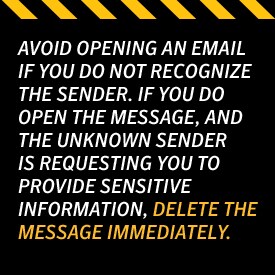
  • Be sure to avoid opening an email if you do not recognize the sender. If you do open the message, and the unknown sender is requesting you to provide sensitive information, delete the message immediately. If the request appears to be sent from a company you know, use the business’s website to reach out about the message. If it’s a spam message, delete it promptly and never answer it.
  • If an unknown sender of a text message requests personal information from you, do not answer. If you believe the text to be legitimate, try getting in touch with the purported sender via a phone call.
  • If you are using your smartphone in a public space, never leave it unattended. Do not use any unprotected Wi-Fi or Bluetooth networks, and turn off your service when you aren’t using it. If you do need to use public Wi-Fi, you should use a virtual private network (VPN), like Norton VPN.
  • When setting up a password for your emails, social media accounts, and bank accounts, choose a complicated one that contains numbers, letters, and symbols. Avoid using any obvious passwords, such as birthdays, important dates, or consecutive number sequences.
How to protect your smartphone when using it as a connected device hub

Device Hubs

Device hubs such as Google Home and Amazon Echo are designed to be a centralized communication point between you and your devices. The device hub is essentially a voice activated “key” to controlling all of the smart devices in your life. While these devices seem to be “standalone,” they are actually controlled by an app on your smartphone.

How device hubs are vulnerable

Although the device hub is ultimately controlled by your smartphone, these hubs should still be protected. Cyber criminals can discover a lot about your home through vulnerabilities in your device hub. By exploiting these vulnerabilities, not only can the cybercriminals access personal data stored in these devices, but they also could potentially wreak havoc on your devices as well. It’s possible to change your alarm settings, hijack smart hubs to launch DDoS attacks, change your thermostat settings, and even open your door locks. While these device hubs enable you to have total control over the connected items in your home, they also create an entry point for others to control your home without your permission.

Protecting your device hub

  • Use your wireless router’s encryption options to deter potential attacks on your security and to protect your device hub. Encryption scrambles wireless communications between devices or computers, so others cannot “read” them. You can use one of two methods to encrypt your signal, including WEP and WPA.
  • Next, you should ask your service provider if the latest version of firmware is permanently programmed into your router’s memory.
  • Restrict your web connection access point from being detected outside.
  • Finally, ensure that your password is tough to crack, and change it every 90 days.

By making it hard for hackers to access your smartphone and device hub, you are increasing your personal security and privacy.

Use a secure router

Norton’s industry leading software protects your PCs, laptops and smartphones from hackers and cybercriminals. But today’s connected homes — with smart TVs, Internet security cameras, Wi-Fi thermostats and baby monitors — require something more. We set out to change Wi-Fi forever. The result is Norton Core. Our uncompromising vision: a wireless router that secures your digital life, while delivering a high level of performance. Through deep packet inspection, intrusion prevention, and more, Norton Core defends your home at the network level. It fends off cyber threats before they can infiltrate your home and compromise your personal life.

While connected devices add convenience to our lives, they can also be a gateway for nosy criminals. Be aware and stay safe.

1 Pew Research Center, “Smartphone ownership rates skyrocket in many emerging economies,” February 19, 2016

Norton logo
  • Norton
Norton empowers people and families around the world to feel safer in their digital lives

Editorial note: Our articles provide educational information for you. Our offerings may not cover or protect against every type of crime, fraud, or threat we write about. Our goal is to increase awareness about Cyber Safety. Please review complete Terms during enrollment or setup. Remember that no one can prevent all identity theft or cybercrime, and that LifeLock does not monitor all transactions at all businesses. The Norton and LifeLock brands are part of Gen Digital Inc. 


Want more?

Follow us for all the latest news, tips, and updates.