


Who's this for?

Answer 3 quick questions to get matched with the best protection. Firstly, choose who or what you need to cover below.

What are you most concerned about?

We'll suggest the best coverage for your concerns. Select all that apply.

How many devices do you need to protect?

For the best protection, cover every device you use online.

Creating your recommendation

norton:productquiz:iconturninggears
Did you know?
Norton technology blocks millions of cyberthreats every day.
Trusted by millions of customers around the globe.
Norton™ Mobile Security
Standard
A$32.99
A$32.99first yr

Automatically renews at {ar}/year,
unless the renewal is cancelled.
Price is subject to change.
See subscription details below.*

  • Protection for 1 iPhone® or iPad®
  • Scam Protection
  • Wi-Fi Security
  • Internet Security
  • Device Security
Norton AntiVirus
Plus
A$75.99
A$75.99first yr

Savings compared to the renewal price of {ar}/year.
See subscription details below.*

  • 1 PC or Mac
  • Scam Protection
  • Antivirus, malware, ransomware, and hacking protection
  • 100% Virus Protection Promise2
  • 2 GB Cloud Backup‡‡,4
  • Password Manager
  • Deepfake Protection23,33
Norton 360
Standard
A$104.99
A$104.99first yr

Savings compared to the renewal price of {ar}/year.
Price is subject to change.
See subscription details below.*

  • 1 PC, Mac, tablet, or phone
  • Scam Protection
  • Antivirus, malware, ransomware, and hacking protection
  • 100% Virus Protection Promise2
  • 10 GB Cloud Backup‡‡,4
  • Password Manager
  • Deepfake Protection23,33
  • VPN private internet connection
Norton Identity Advisor
Plus
A$119.99
A$119.99/first yr

Payment method required.
If not cancelled: {sale}/first year.
Then {ar}/year.
See subscription details below.*

  • Identity Restoration Support
  • Financial Monitoring​
  • Social Media Monitoring17
  • Dark Web Monitoring​§
  • Stolen Wallet assist
  • Identity Theft Insurance
Norton 360
Deluxe
A$149.99
A$149.99first yr

Savings compared to the renewal price of {ar}/year.
Price is subject to change.
See subscription details below.*

  • 3 PCs, Macs, tablets, or phones
  • Scam Protection
  • Antivirus, malware, ransomware, and hacking protection
  • 100% Virus Protection Promise2
  • 50 GB Cloud Backup‡‡,4
  • Password Manager
  • Deepfake Protection23,33
  • VPN private internet connection
  • Dark Web Monitoring§
  • Parental Control
Norton VPN Standard
VPN
A$129.99
A$129.99first yr

Savings compared to the renewal price of {ar}/year.
See subscription details below.*

  • IP masking to hide your online activities
  • Access your favorite content across borders
  • Ad Blocker to browse without annoying ads14
  • No-log policy to ensure your privacy
  • Kill Switch to help prevent privacy exposure
  • IP Rotation and Double VPN for extra privacy
  • AI-powered protection against scams, phishing, and malware.
  • Monitoring for your info on the dark web§
  • Password Manager to use strong passwords
  • 10GB of Cloud Backup4 for valuable files
A$349.99
A$349.99first yr

Savings compared to the renewal price of {ar}/year.
See subscription details below.*

  • 10 PCs, Macs, tablets, or phones
  • Get always-on cyber protection for your business devices.
  • Get 24/7 business tech support and expert help with virusesΔ.
  • Work and bank safer online with our secure browser22.
  • Store your passwords and usernames in our encrypted vault.
  • Close security holes with our automatic Software Updater21.
  • Enjoy more reliable PCs with our cleaner and optimizer21.
  • Monitor employee identity leaks on the dark web (5 contacts)§
  • Backup up to 500GB of your data in our secure cloud21.
  • Connect to the web more safely on-the-go with our VPN.
  • Enjoy safer and more reliable PCs with Driver Updater21.
Norton 360
Premium
A$194.99
A$194.99first yr

Savings compared to the renewal price of {ar}/year.
Price is subject to change.
See subscription details below.*

  • 5 PCs, Macs, tablets, or phones
  • Scam Protection
  • Antivirus, malware, ransomware, and hacking protection
  • 100% Virus Protection Promise2
  • 100 GB Cloud Backup‡‡,4
  • Password Manager
  • Deepfake Protection23,33
  • VPN private internet connection
  • Dark Web Monitoring§
  • Parental Control
Norton
Small Business
A$249.99
A$249.99first yr

Savings compared to the renewal price of {ar}/year.
See subscription details below.*

  • Get always-on cyber protection for your business devices.
  • Get 24/7 business tech support and expert help with virusesΔ.
  • Work and bank safer online with our secure browser22.
  • Store your passwords and usernames in our encrypted vault.
  • Close security holes with our automatic Software Updater21.
  • Enjoy more reliable PCs with our cleaner and optimizer21.
  • Monitor employee identity leaks on the dark web (5 contacts)§
  • Backup up to 250GB of your data in our secure cloud21.
Norton
Small Business
A$99.99/year

Price shown is for first year.
Plus applicable sales tax.
See subscription details below.* 

  • 5 PCs, Macs, tablets, or phones
  • Get always-on cyber protection for your business devices.
  • Get 24/7 business tech support and expert help with virusesΔ.
  • Work and bank safer online with our secure browser22.
  • Store your passwords and usernames in our encrypted vault.
  • Close security holes with our automatic Software Updater21.
  • Enjoy more reliable PCs with our cleaner and optimizer21.
  • Monitor employee identity leaks on the dark web (5 contacts)§
  • Backup up to 250GB of your data in our secure cloud21.


Your personalized matches

norton:productquiz:iconshieldnumber60
60-day money-back guarantee
  • Best choice

  • Better choice

  • Good choice

*Important subscription, pricing, and offer details:

  • By subscribing, you are purchasing a recurring subscription which will automatically renew.
  • The price quoted today is valid for the offered introductory term. After that, your subscription will be billed at the applicable monthly or annual renewal price here. The price is subject to change, but we will always send you a notification email in advance.

2 Requires an automatically renewing subscription for a product containing antivirus features. For further terms and conditions, please see norton.com/virus-protection-promise.
4 Only available on Windows systems (but not in S mode or on ARM processors).
21 Utilities Ultimate, Driver Updater, Software Updater, and Cloud Backup features are only available on Windows (excluding Windows in S mode and Windows running on ARM processor).
22 Private Browser is only available on Windows (excluding Windows in S mode and Windows running on ARM processor) and Mac.
Monitoring available on Windows™ PC, iOS, and Android™ devices. Not all features available on all platforms.
§ Monitoring not available in all countries and varies based on region.

norton:productquiz:iconquestionmarkspeechbubble

norton:productquiz:iconquestionmarkspeechbubble

norton:productquiz:iconquestionmarkspeechbubble

Avoiding ransomware scams on social media

Ransomware is a form of malware that allows cybercriminals to hold your PC, or files on it, for ransom. This is typically much worse than your average spyware or spam, as the crooks behind the ransomware can ask for a great deal of money.


young woman with cell in coffee shop

Are You Friending Extortionists?

Avoiding ransomware scams on social media

Ransomware is a form of malware that allows cybercriminals to hold your PC, or files on it, for ransom. This is typically much worse than your average spyware or spam, as the crooks behind the ransomware can ask for a great deal of money.

Social media sites provide the perfect ingredients for these crooks’ malware recipe since they provide such a large number of potential victims to target. We’re here with some tips to help you avoid being a ransomware statistic.

How ransomware scams on social media often work

Last year, around 70 percent of social media scams were shared manually by people amongst their friends and contacts.* It’s easy to see why: People are more likely to click on a link or download software if it’s recommended by someone they know.

Here’s how it often goes down: You see a new post from your friend Emily. It says, “Check this out! It’s sooooo funny!” Emily’s always one with a quick-witted joke, so naturally you click on the link. Maybe it opens an email attachment or takes you to a site. Once you take action, malware secretly downloads onto your device.

Later, you may turn on your PC or mobile device to see a screen demanding payment to have your files unlocked. This could take the form of a fake law enforcement notice, which is meant to scare you into forking over the funds immediately.

Good grief! You didn’t know you had stepped outside the law. What do you do?

Tips in stopping social media ransomware scams

First off, you aren’t breaking any laws; the thieves behind this scam are.

That message from your social media pal likely didn’t originate from her. It was likely spoofed (meaning, it only looks like it’s coming from Person X). Reaching out to your friend—without replying via the message in question—is one way to find out.
avoiding ransomware scams on social media

Keep in mind, your friend may have sent the message, but cybercriminals may be using social engineering to get people to do their dirty work for them.

Proactive steps to take now:

  • Definitely do not download and run any executable files from such links.
  • Keep your browser and OS up to date while avoiding downloads from dubious sources.
  • Make daily backups of your files and store them both on-site in an external hard drive or two, and off-site in a secure cloud storage solution.
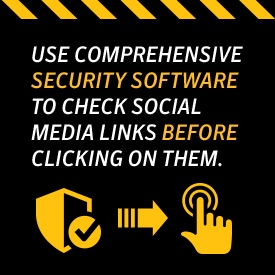
  • Most importantly, always have comprehensive security software that checks social media links before clicking on them.

Let’s say you are careful but you, or a friend, still gets a ransomware notice. What then? Do not, under any circumstances, pay the “fine.” Law enforcement would never send a notice like the scenario mentioned above, and even if you would send the funds, there’s really no incentive for the bad guys to unlock your files or device. They’ve made their money; what would they care?

Steps to take if you should fall victim to ransomware:

  • Consider taking your device to local computer service professionals. This is a very common scam, so they’ve likely seen it before and can give you options.
  • At worst, if you’ve backed up your files, you can always remove and replace your hard drive on your computer and reload your back-ups. Again, do not pay the extortion as that could mark you for even more scams in the future.

It’s fun to see and share cat videos and memes on social media, but keep in mind that these sites are also a haven for cybercriminals and scams like ransomware. Play it safe and help keep the bad guys out of your life. Start putting these tips into action today.

Norton logo
  • Norton
Norton empowers people and families around the world to feel safer in their digital lives

Editorial note: Our articles provide educational information for you. Our offerings may not cover or protect against every type of crime, fraud, or threat we write about. Our goal is to increase awareness about Cyber Safety. Please review complete Terms during enrollment or setup. Remember that no one can prevent all identity theft or cybercrime, and that LifeLock does not monitor all transactions at all businesses. The Norton and LifeLock brands are part of Gen Digital Inc. 


Want more?

Follow us for all the latest news, tips, and updates.