







What is malvertising and how do you prevent it?
Did you know that simply loading a page with a malicious ad can infect your computer or smartphone? Learn the meaning of malvertising, how it works, and then get a comprehensive security app to help stop dangerous online ads from infecting your device.






- What is malvertising?
- How does malvertising work?
- How to identify a malvertisement
- How can malvertising affect you?
- What are the differences between malvertising and adware?
- Examples of malvertising
- How to protect yourself from malvertising
- What to do if you encounter a malvertisement
- Block malicious advertisements
- FAQs
The average person is estimated to see anywhere from 4,000 to 10,000 advertisements daily. And some of these advertisements are malicious.
According to a recent 2024 Gen Threat Report, malvertising is the second most prevalent threat facing mobile and desktop users.
Read on to learn the meaning of malvertising, how it works, and what you can do to keep yourself safe.
What is malvertising?
Malvertising, or malicious advertising, is the use of malicious code in online ads to spread malware or steal information. Scammers use malvertising as a covert tactic to spread dangerous code across multiple websites.
Cybercriminals can hide dangerous code in almost any part of the ad, including images, videos, and even tracking files. Since your device automatically downloads these components to view the ad, it can get infected without you realising it.
Sometimes, the danger isn’t in the ad but where it leads you. Malvertisements might steer you to an unsafe website that looks legitimate, tricking you into entering sensitive information. They might also appear as pop-ups that catch you off guard, causing you to click them when you don’t mean to.
Malvertising can show up on even the most trusted websites. For instance, hackers have used malvertising when placing ads on Google search results. Big-name brands like Slack
How does malvertising work?
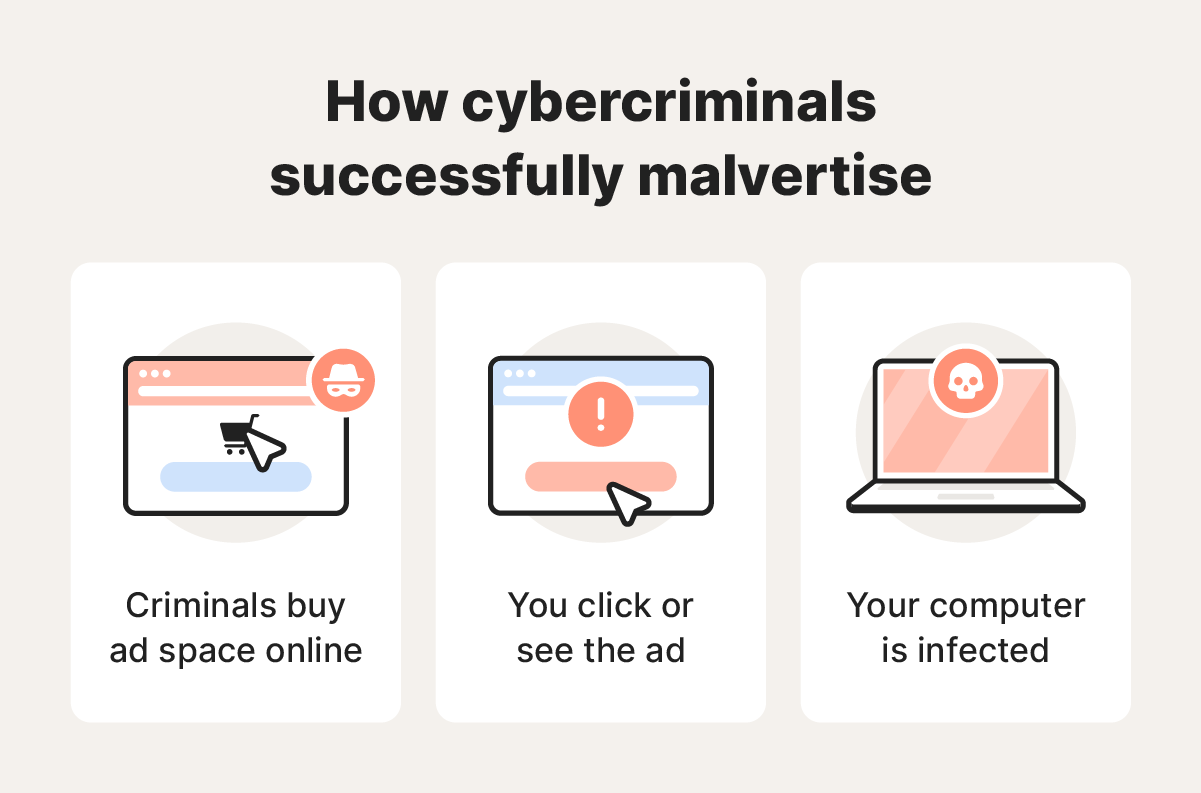
Malvertising works by fooling site owners or ad networks into publishing illegitimate ads on websites. Criminals can do this in one of two ways:
- Exploiting ad networks: Cybercriminals can exploit ad distribution networks to target multiple sites at once. This allows a single malicious ad to quickly reach a large audience.
- Deceiving site owners: Criminals can approach website owners directly, posing as legitimate advertisers to get an ad displayed.
Criminals prefer networks because of their scale, potentially getting more people to view and click on their false advertisements. For example, if a criminal fools the Google Display Network, the malicious ad could simultaneously appear on up to 2 million sites.
Once the ad is online, the criminal waits for website visitors to do one of two things:
- View the ad: Simply loading the page with the ad can trigger a drive-by-download, automatically installing malware on a user’s device.
- Click on the ad: Clicking can redirect users to dangerous websites or initiate the download of harmful files.
How to identify a malvertisement
Telltale signs that help you spot malvertisements include spelling mistakes, unrealistic offers, and low-quality ads. Fake ads usually lack the polish of professional ones.
Here are some tips on spotting fake advertisements:
- Spelling mistakes: Misspelled words or poor grammar indicate a lack of professionalism. Legitimate ads are made by professional organisations, meaning they’re less likely to let these mistakes through.
- Promising too much: Promises that seem unbelievably generous or unrealistic can be a red flag for malicious intent. Big, flashing pop-ups offering a designer brand item or luxury good for next to nothing are probably fake.
- Low-quality graphics: Blurry images or unusual design choices suggest the ad is not from a reputable source. Legitimate ads usually go through multiple rounds of editing to create high-quality images.
- Unexpected pop-ups: Ads that suddenly appear and try to grab your attention ('You’ve won a prize!') might be trying to lure you into an online scam. Illegitimate pop-up ads often try to appear in front of your cursor, forcing you onto unsafe websites.
- Irrelevant content: Ads that don’t match your interests or recent searches may be fake. Examples include an ad for a new cryptocurrency site when you’ve never searched for one.
- Urgency or pressure tactics: Ads that pressure you into taking action without thinking are often scams. For example, an ad may have a countdown timer or say you only have two hours to grab an incredible deal.
- Unusual URLs: If you hover over the ad and the URL address isn’t what you would expect, it could be trying to redirect you to a malicious website.
If you suspect an ad might be malicious, take a screenshot and report it to the site’s administrator. They can work with their ad delivery partners to investigate or look into the matter directly.
How can malvertising affect you?
Malvertising poses risks to you and your device, including infection from malware attacks, stolen information, and exposure to malicious sites.
- Infected devices: Malvertising can silently install viruses or other malware embedded within seemingly legitimate ads. Malware like keyloggers can collect your data in the background.
- Stolen data: Malicious ads can lead to fake websites containing false payment portals that gather your financial and personal information.
- System backdoors: Malware within ads can exploit unknown vulnerabilities, known as zero-day exploits, using sophisticated tools. These allow hackers to access your system before you can apply security patches.
- Lost reputation: Site owners’ reputation can be affected if users get malware from an ad on their website, as malvertisements can lead to stolen identities and financial loss.
What are the differences between malvertising and adware?
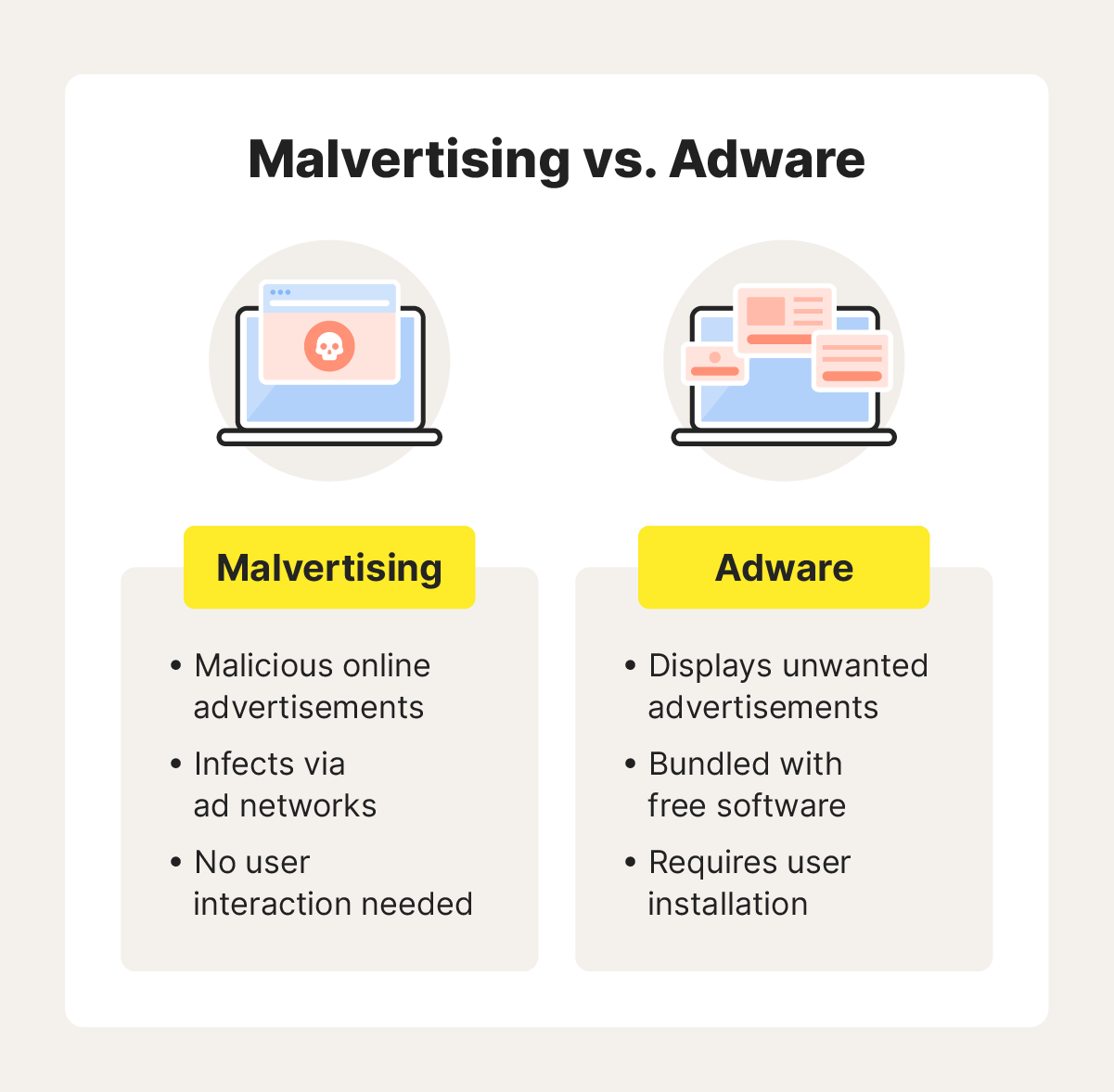
Adware tracks user activity to show ads to them, while malvertising relies on fake ads to spread different types of malware.
Here’s a breakdown of the key differences between the two:
- Purpose: Malvertising is inherently malicious and aims to infect devices with malware, while adware aims to generate revenue by targeting users with advertisements.
- User interaction: Malvertising targets simply need to click the ad or let it load on a webpage for it to be harmful. Meanwhile, adware typically requires user installation, and cybercriminals often bundle it with free software.
- Threat level: Malvertising is generally more dangerous because its goal is to infect devices or steal information. While adware can slow systems down, display unwanted ads, and invade privacy by tracking browsing behaviour, it’s often just intrusive. But adware can be a gateway to potential vulnerabilities.
Examples of malvertising
Malvertising comes in various forms, all posing risks to your sensitive information. Here are some notable examples of malvertising attacks:
- Windows: A malvertisement campaign targeted system administrators by placing Google ads that led to fake download sites for two Windows utilities. Administrators are valuable targets because they have higher backend privileges.
- Arc browser: Fake ads placed on Google redirected people to a spoofed site that tricked them into downloading a Trojan instead of the Arc browser.
- Outdated Windows: A malvertising provider, dubbed AliGater, exploited outdated versions of Windows by redirecting victims to a fake CAPTCHA page, initiating a multi-stage malware attack.
These examples highlight the diverse targets of malvertising. Digital ad networks provide attackers with broad access, enabling them to target anyone from employees to administrators.
How to protect yourself from malvertising
Not clicking ads is one way to protect yourself from malvertising, but it won’t protect you from drive-by-downloads. You can add extra protection in other ways, such as adjusting your browser settings, getting an ad blocker, removing unsupported software, and using a robust antivirus.
Here are some ways to protect yourself from malvertisements:
- Don’t click pop-ups: Avoid clicking pop-ups that suddenly appear in front of your cursor. If a site uses these ads, it might be an unsafe website.
- Install an adblocker: Use a free adblocker to help stop malvertising by blocking ads.
- Keep your software updated: Update your software regularly to get the latest security patches, which could protect against vulnerabilities that malvertisements might exploit.
- Install an antivirus: Use robust antivirus software like Norton 360 Deluxe to help detect dangerous files and malicious websites before they cause harm.
- Remove dead plugins: Uninstall unsupported browser plugins like Adobe Flash. When software hasn’t been updated in a while, it’s more susceptible to viruses.
- Turn on click-to-play: Activate click-to-play settings in your browser to block auto-loading content like JavaScript or videos, which can be used as an attack vector for malvertisements.
- Avoid sketchy ads: Avoid clicking advertisements, especially those that don’t look professional or that promote too-good-to-be-true offers.
- Clear your cache: Regularly clear your browser’s cache to remove harmful temporary files or trackers from your computer.
What to do if you encounter a malvertisement
If you encounter a malvertisement, don’t click, close the tab or browser, and temporarily disconnect your device from the internet. Reconnect and clear your browser cache and cookies, then run a security scan with an antivirus tool.
Next, report the malvertisement to the website where you saw it. If the ad was served through Google, you should complete their report an ad form.
Block malicious advertisements
Malicious ads are designed to lure you in with irresistible titles and deals. While some bogus ads can be spotted a mile away, others can be deceptively convincing — or worse, infect your device before you have a chance to react.
Get Norton 360 Deluxe and its powerful virus-detection engine to help block malware from malicious ads before it does damage. Browse with better peace of mind today.
FAQs
What platforms are vulnerable to malvertising?
Both desktop and mobile environments are susceptible to malvertising; malvertisements can reach popular operating systems like Windows, Mac, iOS, and Android. Other platforms like web browsers and social media sites can also be vulnerable to malvertising.
Do you have to click an ad to get infected by it?
Not always; some malvertisements called drive-by-downloads include malicious code that can infect your device when you simply let the ad load on a page.
Can malvertising affect reputable websites?
Yes, if a reputable website uses an ad delivery network targeted by cybercriminals, its ads can become malicious. This means malicious ads can appear on legitimate sites without the site owner's knowledge, simply through the ad network they use.
Editorial note: Our articles provide educational information for you. Our offerings may not cover or protect against every type of crime, fraud, or threat we write about. Our goal is to increase awareness about Cyber Safety. Please review complete Terms during enrollment or setup. Remember that no one can prevent all identity theft or cybercrime, and that LifeLock does not monitor all transactions at all businesses. The Norton and LifeLock brands are part of Gen Digital Inc.







Want more?
Follow us for all the latest news, tips, and updates.