






What is a VPN and what does it do?
A VPN is a service that establishes a secure, encrypted connection for your internet traffic, keeping your online activity hidden and protecting your privacy. The best VPNs have a no-log policy, bank-grade encryption, and a variety of servers around the world to help you browse anonymously.

2025
Consumer
Security Innovator





Ever check your bank account or type in your credit card number to buy something online or while running errands? If you've done this without connecting to a virtual private network (VPN), you could have exposed your private information and browsing habits to cybercriminals or other snoops lurking on the same network.
Keep reading to learn how to stay securely connected on the go and how different types of VPNs can help keep your online sessions safe.
What is the definition of a VPN?
VPN stands for virtual private network — it’s technology that encrypts your data when you use the internet, scrambling it so that strangers on the same network can’t read it. A VPN creates a secure tunnel between your device and the internet to protect data during transmission. This secure tunnel helps VPNs disguise your IP address, mask your online activity (including links you click and files you download), and hide your physical location to help you access your favorite content.
A VPN gets its name because it embodies the following characteristics:
- Virtual: Functions without physical cables and instead relies on digital pathways.
- Private: Enhances online privacy by shielding data and browsing activity from snoops.
- Networked: Establishes and maintains a connection between a device and a VPN server.
How do VPNs work?
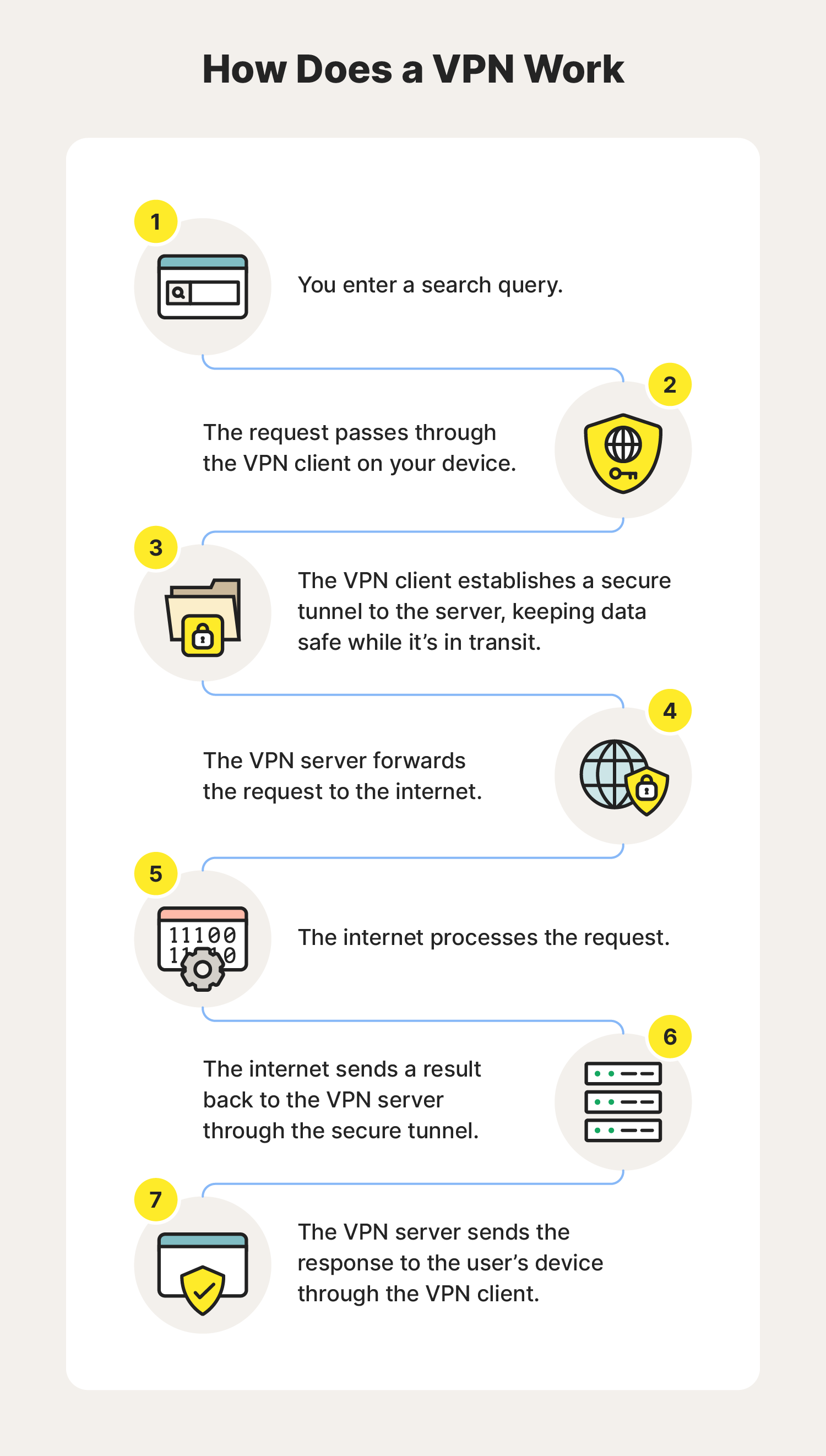
VPNs encrypt the connection between your device and network, which helps strengthen online privacy and security. This is the process a VPN follows after you connect and begin your search:
- You enter a search query, visit a website, etc.
- The request passes through the VPN client on your device.
- The VPN client establishes a secure tunnel to the server, encrypting the data in transit.
- The VPN server forwards the request to the internet.
- The internet processes the request.
- The internet sends a result back to the VPN server through the secure tunnel.
- The VPN server responds to your device through the VPN client.
What does a VPN do and what are the benefits of using one?
VPN encryption capabilities help you browse anonymously, access content more freely, protect in-transit data, stop websites from tracking you, and protect your private information. Here are some more details about these VPN benefits:
- Anonymous browsing: A no-log VPN can help hide your IP address from websites, cybercriminals, the government, and even your internet service provider (ISP).
- Access content freely: VPNs are useful resources for journalists and travellers. They can help you access content that may be otherwise unavailable in your location.
- Data protection: VPNs encrypt your internet traffic, making it safer to access financial accounts, private data, and other sensitive information online without others eavesdropping.
- Less online tracking: Advertisers track much of your online activity using computer cookies. VPNs can help make it harder for them to track and monitor your activity by obscuring your IP address.
- Protection on public Wi-Fi: Unsecured public Wi-Fi networks are notorious places for hackers to steal information; a VPN can help stop this by hiding your internet session activity so cybercriminals can’t see what you’re doing.
Who needs a VPN service and why?
A VPN can help provide an additional layer of online privacy, protection when sending and receiving data, and anonymity while browsing online. By disguising IP addresses and encrypting in-transit data, VPNs are useful tools for online banking, journalism, activism, accessing content while travelling, accessing the dark web, and more.
Here are some of the different types of people who use VPNs and why:
- General Users: Using a VPN helps enhance privacy and hide online activity. These benefits are especially helpful when using public Wi-Fi networks, ensuring that data while in transit is encrypted.
- Businesses: Using a VPN offers businesses secure remote access for employees, helping to protect company data when employees are accessing networks remotely.
- Journalists, activists, and whistleblowers: Using a VPN helps ensure anonymity when accessing and sharing sensitive information online.
- Travellers: Using a VPN gives people a secure connection to access content when travelling, and it protects web traffic when using public Wi-Fi.
- Students: Using a VPN can help students access academic resources more easily.
- Gaming Enthusiasts: Using a VPN provides gamers access to global gaming servers and helps reduce the chances of an in-game interruption caused by a DDoS or other hacking attack.
People in different countries around the world can use a VPN to access content and social media platforms more freely. Beyond that, anyone can use a VPN to enhance their privacy when using public or airplane Wi-Fi, playing video games, browsing the dark web, working remotely, exchanging sensitive information online, or trying to avoid government surveillance.
4 types of VPNs and what they’re used for
There are several types of virtual private networks — all with different strengths and weaknesses. Some work well for staying connected on your travels, and others enable remote employees to access a company’s internal resources securely. And that’s just the start.
Learn more about the best VPNs, their architecture and protocols, and when you should use them.
VPN type |
Personal VPN |
Remote access VPN |
Site-to-site VPN |
SSL VPN |
|---|---|---|---|---|
Protocol(s) |
• OpenVPN, WireGuard, L2TP/IPsec, PPTP, and SSTP |
• SSL/TLS |
• IPsec |
• SSL/TLS |
Architecture |
• Client-server |
• Client-server |
• Gateway-to-gateway or router-to-router |
• Web-based |
Use case |
• Encrypt internet traffic and mask IP addresses |
• Secure communication between multiple office locations |
• Secure access to a company’s internal network |
• Secure access to web-based applications and browsers |
Personal VPN
A personal VPN service allows everyday users to secure their internet connection at home and out in the world. These are the traditional VPNs you’re probably familiar with that mask your IP address and encrypt data you send and receive online to guard against cyber snoopers.
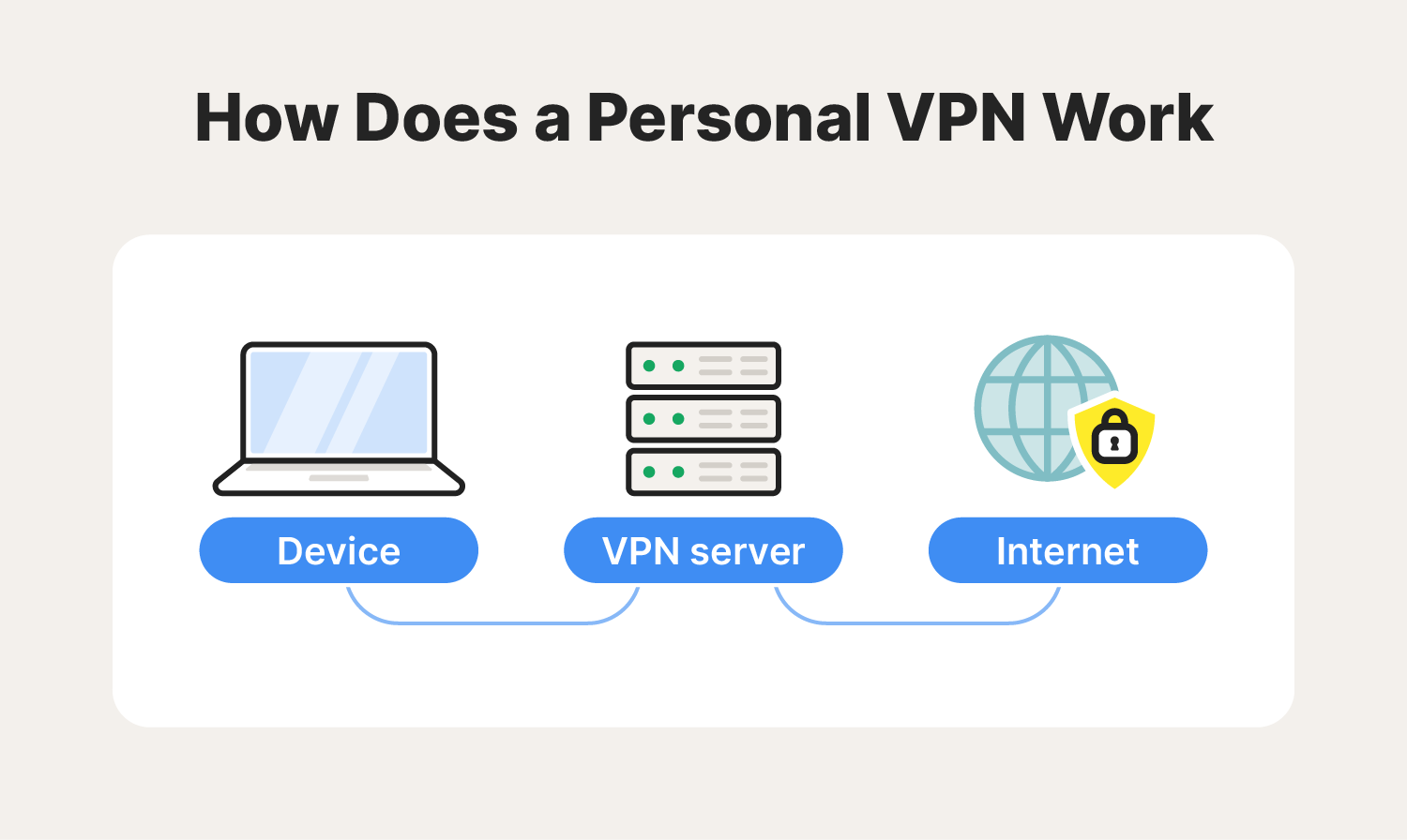
- Most common protocol(s): OpenVPN, WireGuard, L2TP (Layer2 Tunneling Protocol), PPTP (Point-to-Point Tunneling Protocol), and SSTP (Secure Socket Tunneling Protocol)
- Architecture: Client-server
- Used for: Individual privacy, encrypting internet traffic, and masking IP address
Remote access VPN
Remote access VPNs empower users to connect to private networks from different countries around the world, making them valuable to hybrid and work-from-home (WFH) employees. You can use this type of VPN to remotely access private resources, files, applications, data, and more securely.
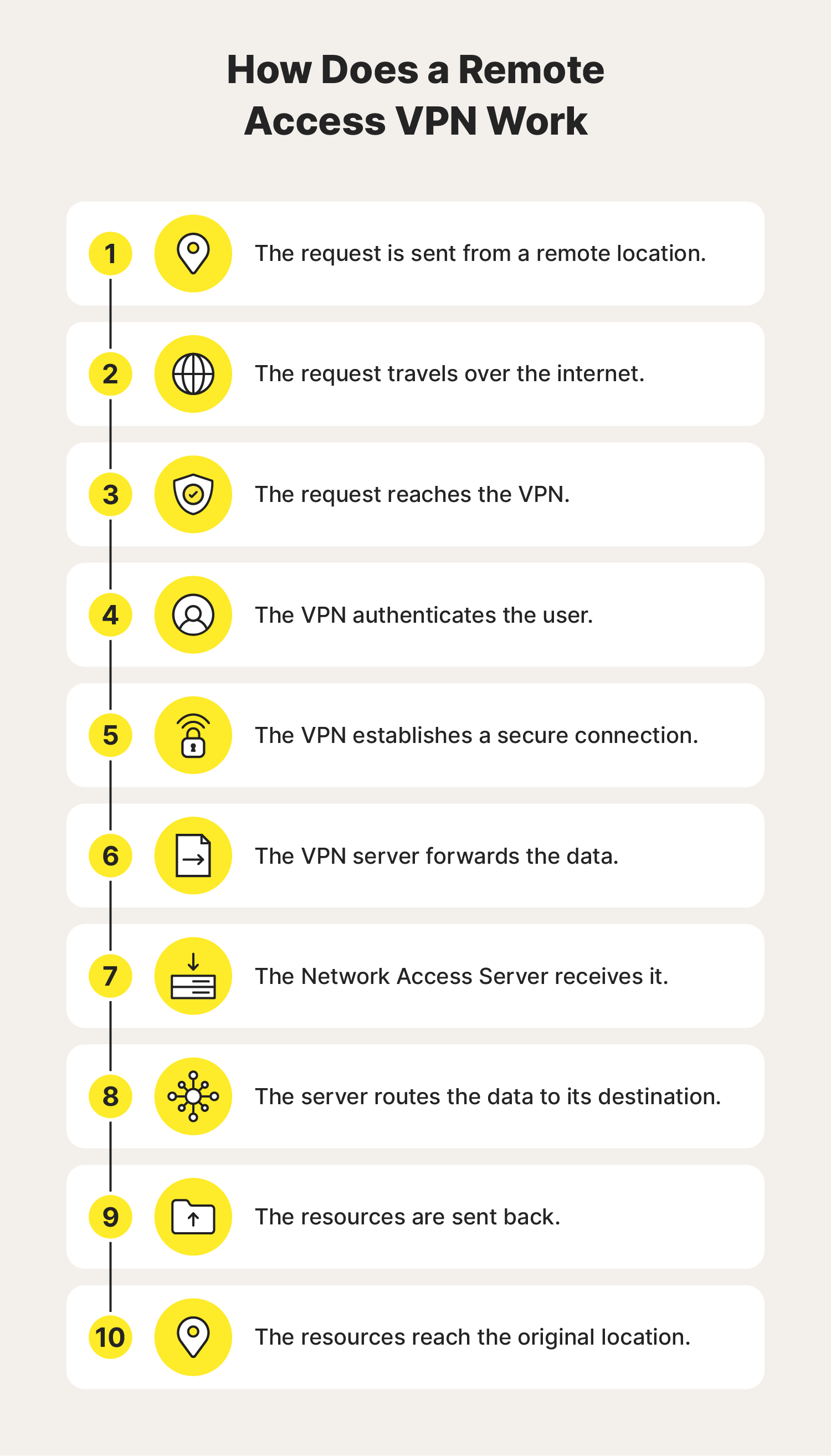
- Most common protocol(s): SSL/TLS (Secure Sockets Layer Transport Layer Security)
- Architecture: Client-server
- Used for: Secure communication between networks and connecting multiple office locations
Site-to-site VPN
Site-to-site VPNs enable workers to communicate and collaborate securely with people at geographically separated business branches. This is a common way for businesses to maintain a unified and private network as they expand and add more brick-and-mortar locations.
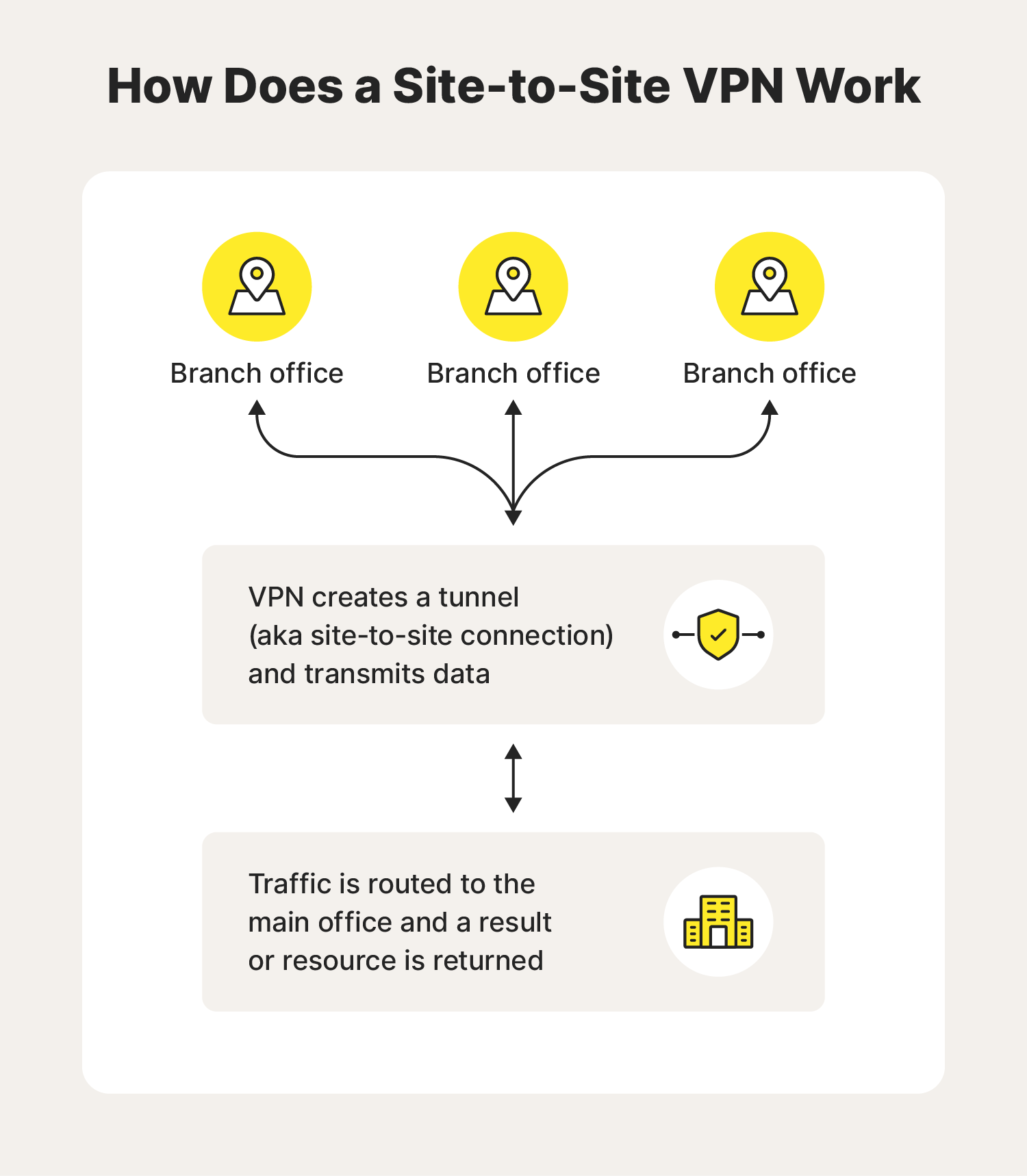
- Most common protocol(s): IPsec (Internet Protocol Security)
- Architecture: Gateway-to-gateway or router-to-router
- Used for: Secure access to a company’s internal network for remote employees and users
SSL VPN
An SSL VPN (Secure Sockets Layer VPN) enables users to securely access web-based applications like file-sharing services and internal directories. Ultimately, this helps people protect their calendars, emails, and documents from prying eyes.
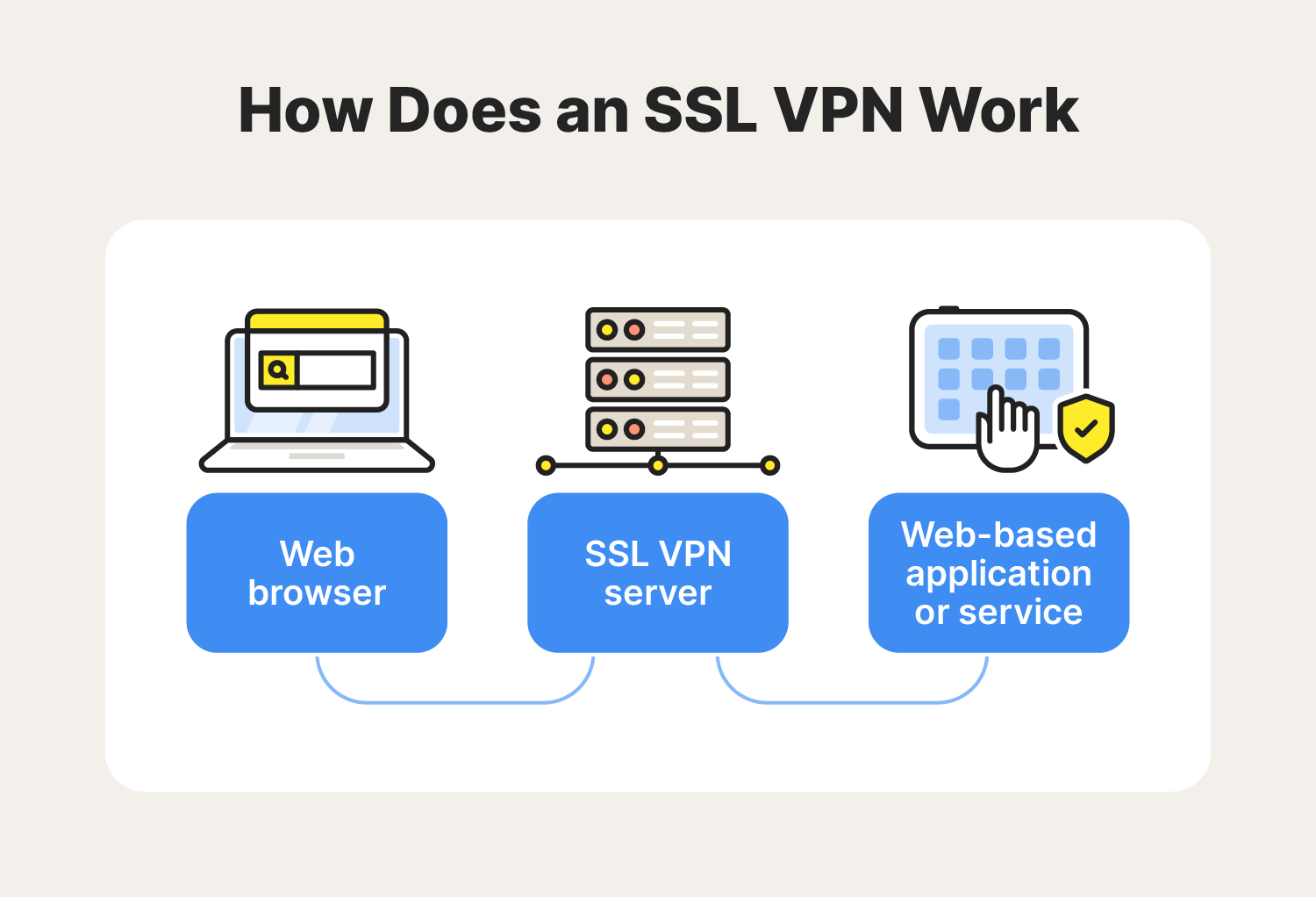
- Most common protocol(s): SSL/TLS (Secure Sockets Layer Transport Layer Security)
- Architecture: Web-based
- Used for: Enabling secure access to web-based applications and browsers
How to choose a VPN
Choosing a VPN depends on your (or your organisation’s) unique privacy needs. Some factors to consider are server locations, provider log policies, subscription costs, architecture, protocols, and kill switch capabilities.
Here’s a closer look at the factors you should consider when looking for a VPN:
- Architecture: Choose the VPN network structure based on whether you intend to use the VPN for personal or business reasons or content access.
- Servers: Consider the quantity and locations of a VPN’s servers since this can impact connection speed, performance, and your ability to access content freely.
- Log policy: Find a VPN service with a no-log policy to help ensure your provider doesn’t store your activity data and possibly misuse or compromise sensitive information.
- Cost: Consider all associated fees and read reviews to find a VPN with the right cost-to-quality ratio.
- Protocol: Choose a VPN that follows the set of rules and procedures for data encryption that you need without sacrificing device compatibility or security features.
- Kill switch: Pick a VPN solution with a kill switch to help prevent potential data leaks and ensure security continuity.
Protect your digital privacy with a VPN
Connect with Norton VPN to enhance your online privacy, obscure your location, and help access the content you love. Plus, Norton’s VPN has a no-log policy, meaning we don’t track or store your online activities. Get on-the-go access and more anonymous browsing today.
FAQs about VPNs
Still have questions about VPNs? Here’s what you need to know.
What does a VPN protect you from?
A VPN can help protect you from eavesdropping on public Wi-Fi, identity theft, government surveillance, account takeovers, and unauthorised access to sensitive accounts.
Do VPNs make you anonymous?
VPNs help enhance your anonymity but can’t make you 100% untraceable. For starters, your internet service provider can’t see your activity when you use a VPN, but it can see the VPN’s IP address. And if there’s a DNS leak (security vulnerabilities that happen when your DNS request isn’t adequately concealed), any queries you enter online can get sent to the ISP’s servers.
Should I leave my VPN on all the time?
It’s up to you. You should turn your VPN on whenever you connect to public Wi-Fi. Beyond that, it’s your decision if you want to leave your VPN on all the time for continuous online security coverage. Just note that constant VPN use can slow down your internet.
What is a VPN on a phone?
A VPN on an iPhone or an Android phone is a mobile application that encrypts internet traffic, masks the device's IP address, and provides more secure and private online browsing through a virtual private network.
What is a VPN number?
A VPN number is a set of identifying numbers that maintain the VPN tunnel encryption and reroute traffic anonymously. Typically, a VPN number can refer to the following three possibilities:
- A specific server ID identification number that a VPN connection is associated with.
- A virtual phone number given by the VPN provider to the user.
- An internal IP address that is allocated to a mobile device when connected via VPN.
How do I install a VPN?
To install a VPN, download your provider’s VPN application, launch it, and log in. From there, you can connect to the server of your choice to secure your internet connection. If you have any issues, check to make sure your VPN is working properly.
Editorial note: Our articles provide educational information for you. Our offerings may not cover or protect against every type of crime, fraud, or threat we write about. Our goal is to increase awareness about Cyber Safety. Please review complete Terms during enrollment or setup. Remember that no one can prevent all identity theft or cybercrime, and that LifeLock does not monitor all transactions at all businesses. The Norton and LifeLock brands are part of Gen Digital Inc.






Want more?
Follow us for all the latest news, tips, and updates.